
Qualifying
Correcting what is known about a lead
What confirmed, inferred, unknown and conflicting mean on a lead, how to confirm, reject or set a detail, how to find strong leads that are not fully qualified, and where every change is recorded
2 min readUpdated 27 September 2026
The What we know section of a lead's Qualification tab lists each qualification detail, such as timing, company size or budget, in one of four columns.
The four states
| State | Meaning |
|---|---|
| Confirmed | The lead said so, or a person set it. It is never asked again |
| Inferred | Worked out from a form, the lead record, enrichment or a passing mention. It is not asked, but details that matter (such as budget or decision-maker) are checked before they are relied on |
| Unknown | Not known yet. Unknown is never counted as a no |
| Conflicting | Two current values disagree. It is clarified before it counts for anything |
Completeness is how much of the required picture is known. Still needed lists the required details that are unknown.
AI can only ever produce an inferred value, never a confirmed one.
Confirm, reject or set a value
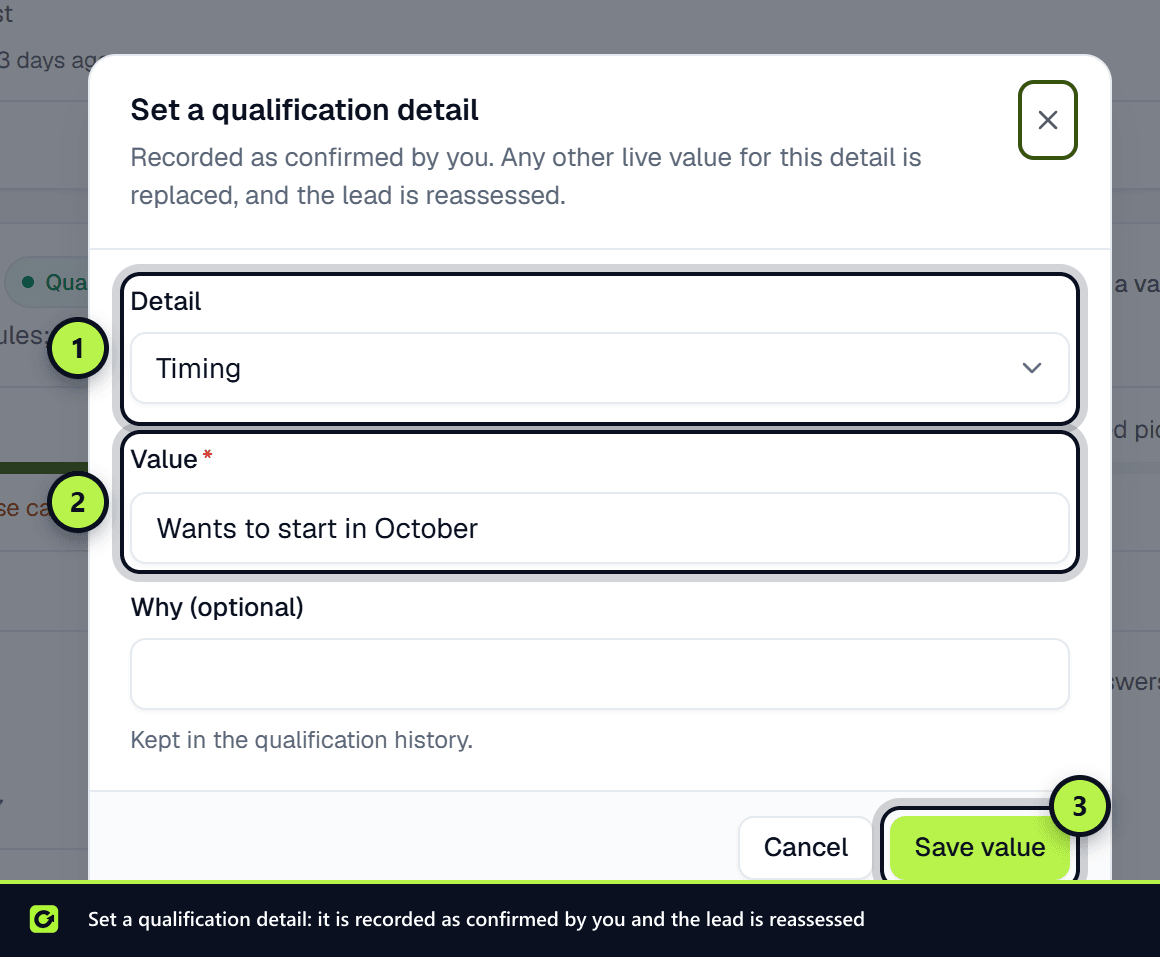
- Confirm an inferred or conflicting value when you know it is right. It becomes confirmed, and any other value for that detail is replaced.
- Reject a value that is wrong. It is kept as rejected so it is not inferred again.
- Set a value (or Set the right value on a conflict) to enter the value yourself, for example after a phone call.
After any of these, the lead is reassessed. Your rules' Qualified or Not qualified result still comes only from answers to your own questions.
Members, admins and owners can make corrections. Viewers can see them but not change them.
Qualification history
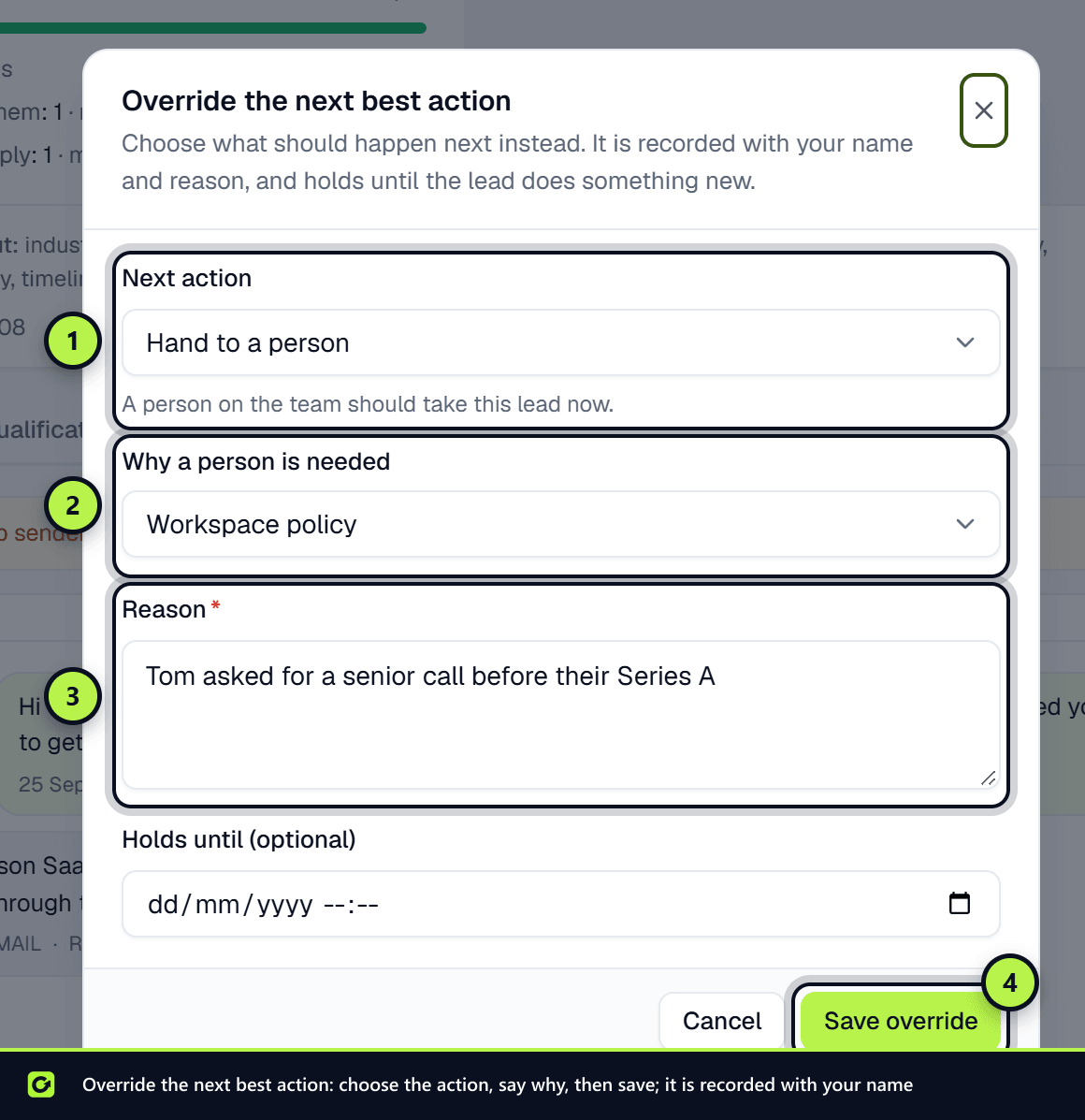
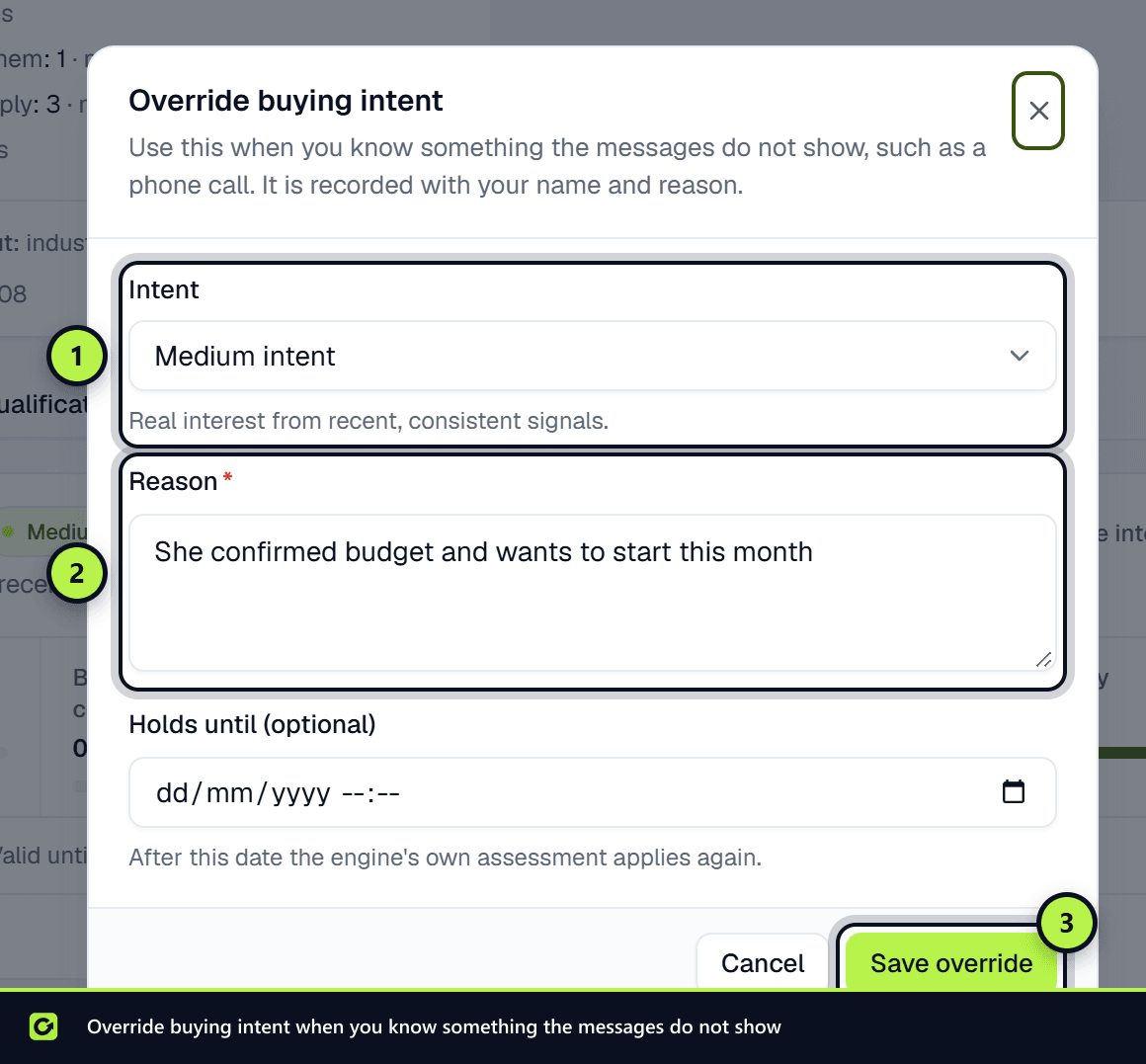
Every re-run, correction and override is listed under Qualification history at the bottom of the tab, with who made it, when, and whether it came from the app, Copilot or a connected assistant. The same entries are in the lead's Activity tab.
Finding strong leads that are not fully qualified
On Leads, open Filters and turn on Strong intent, qualification incomplete to see leads that are ready to book, ready to buy or high intent but still missing required details. You can also filter by Buying intent and Next best action.
Asking Copilot
Copilot can answer "is this lead qualified?", "what do we still need?" and "why are we asking this?", re-run qualification, and confirm, reject or set a detail. It can find leads with strong intent but incomplete qualification. It cannot override a lead's intent or next action.
Related
Screenshots
Still stuck?
Customers can raise a ticket from the help button inside the app. Not a customer yet? Talk to us.