
Booking and sales
Taking over a conversation
Take a conversation from the assistant and automated follow-up so you can reply yourself, what happens while you have it, and how to hand it back
2 min readUpdated 27 September 2026
You can take any conversation away from the assistant and automated follow-up at any time and reply yourself. Nothing is sent automatically while you have it, and only a person can hand it back.
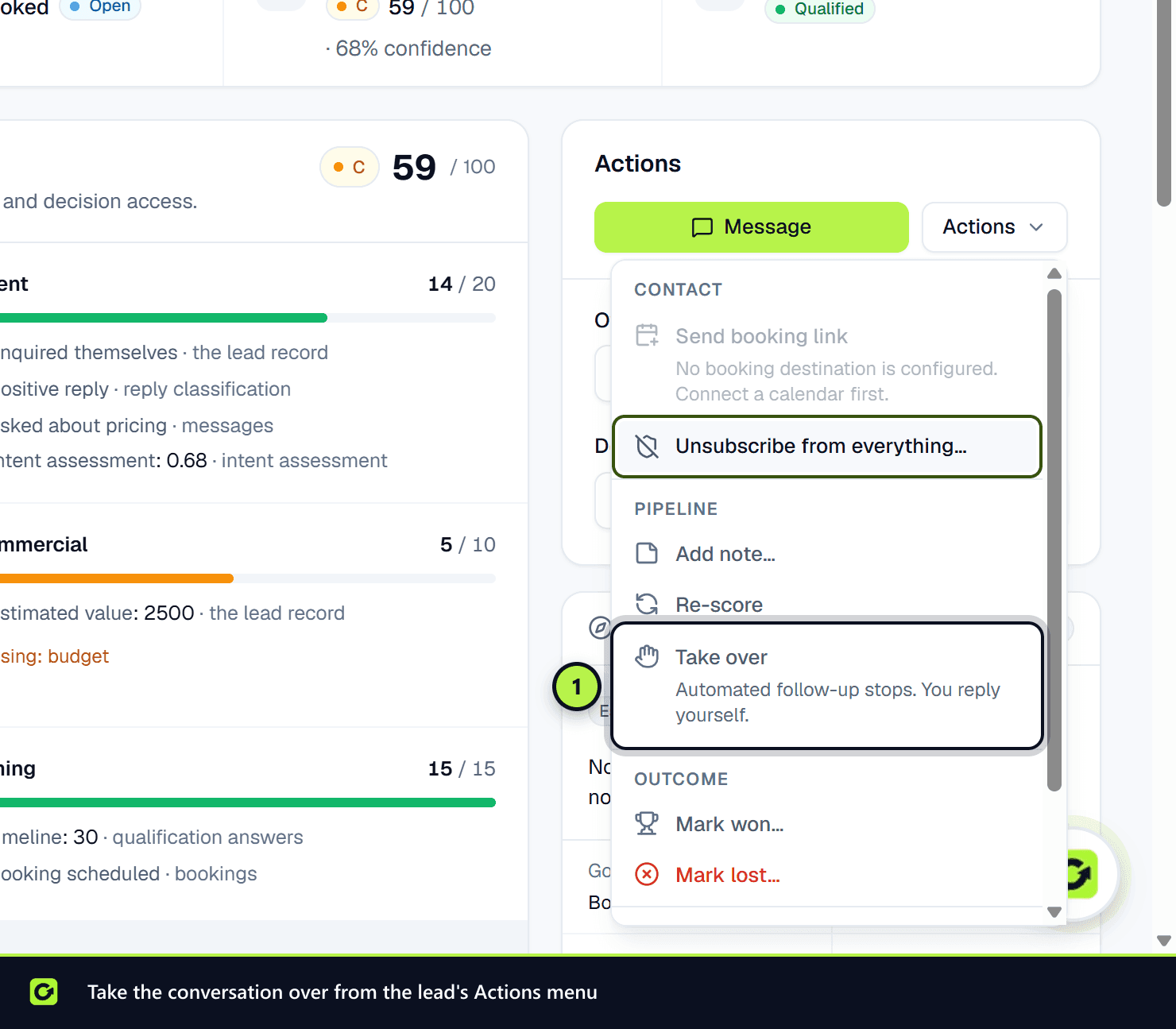
Take over
Choose either:
- on the lead page, Actions → Take over, or
- in the Inbox, Take over in the assistant panel.
Automated follow-up for that lead stops straight away, and the assistant will not reply. There is no moment when both you and the assistant could reply.
Members, admins and owners can take over.
ClientTurn also takes over for you, handing the conversation to your team, when the assistant hands over. That is a last resort, for example when the lead asks for a person or complains. When the assistant only needs one thing confirmed, it asks your team in the background and keeps the conversation, so nothing is taken over. See The handoff brief.
While you have the conversation
- Reply from the lead page (Message) or the Inbox.
- When the lead replies, you get a notification: "New reply on a conversation you are handling".
- The lead shows the Needs human tag.
- Your replies still go through the normal checks: opt-outs and suppression always apply. Daily sending limits do not hold back replies you type yourself.
If the assistant is in Suggest replies mode, you may also see a Suggested reply in the Inbox. You can Edit, Send or Discard it. A suggested reply is never sent without a person approving it.
Hand back
When you are done, choose Actions → Hand back on the lead page, or Hand back in the Inbox. The assistant resumes follow-up, and each message is checked again before it is sent.
Hand back is not available when:
- the lead opted out,
- the lead is archived (restore it first),
- the lead is won or lost,
- the lead is booked. Follow-up has done its job, though booking reminders still send.
The assistant never takes a conversation back on a timer. A quiet conversation is not the same as a finished one.
Related
Screenshots
Still stuck?
Customers can raise a ticket from the help button inside the app. Not a customer yet? Talk to us.