
Compliance
Data rights: archive, suppress, anonymise, erase and export
What each data-rights action on a lead does and keeps, who can use it, how to log and track privacy requests, and how automatic retention works
5 min readUpdated 27 September 2026
ClientTurn gives you a separate action for each thing a person can ask you to do with their data. Every action says what it removes and what it keeps before you confirm it. None of them claims something was "deleted" when part of it was kept.
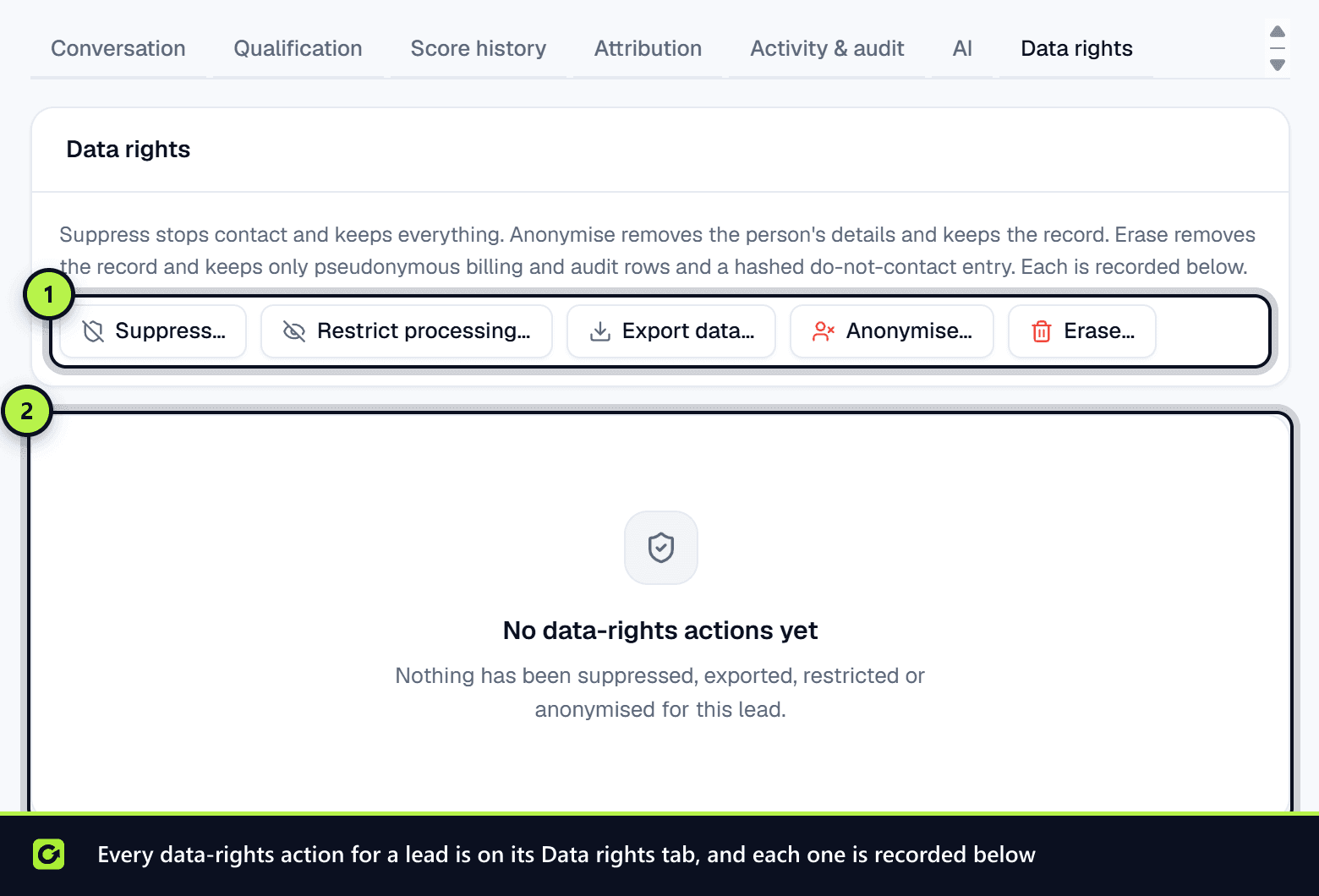
Where to find the actions
Open the lead, then either:
- open the Data rights tab, or
- choose Actions → Suppress, export or erase…, which takes you to the same tab.
The tab has a button for each action and a History of the data-rights actions already taken on this lead. A button you cannot use is greyed out, and hovering over it gives the reason.
What each action does
| Action | What happens | What is kept | Can it be undone? | Who can do it |
|---|---|---|---|---|
| Archive… (in Actions) | The lead leaves your lists and all follow-up stops | Everything | Yes: Actions → Restore | Owners and admins |
| Suppress… | Every address held for the lead goes on the do-not-contact list for the channel you pick. Follow-up stops | The lead and its history | Only by ClientTurn support, with a recorded reason | Members, admins and owners |
| Restrict processing… | A legal hold on every address, on every channel. Follow-up and outreach stop | The lead's data, unchanged | Only by ClientTurn support | Members, admins and owners |
| Export data… | Downloads one JSON file of everything held on the lead | Everything | Not applicable | Owners and admins |
| Anonymise… | Removes name, email, phone, postcode, company and notes. Message text becomes "[removed]". Qualification answers, AI summaries and extracted facts are removed | The lead's status, dates, source and value for reporting, billing and audit entries, and any do-not-contact entry as a hash | No | Owners and admins |
| Erase… | Anonymises, then removes the lead record, conversations, bookings, scores, notes and permissions | Billing and usage records, the audit trail, AI cost records, compliance decisions, and any do-not-contact entry as a hash, none of which identify the person any more | No | Owners and admins |
Suppress: choosing the channel and reason
Suppress… asks for:
- Channel: Every channel, Email only, SMS only, WhatsApp only or Social messages only.
- Reason: Our decision or The person asked us to stop.
Restrict processing… always applies to every channel. Use it when someone has asked you to restrict processing (UK GDPR Article 18). Their data is kept but not used to contact them.
Export
The file covers the lead's details, conversations, where the data came from, consent records, contact decisions, scores with their explanations and do-not-contact status. It contains personal data, so store and send it securely. Each export is recorded against the person who ran it.
Anonymise and erase
If the lead was sent to a connected CRM, the dialog offers Also remove this person from that CRM. Each CRM reports back what it did, and a recycle bin is reported as such.
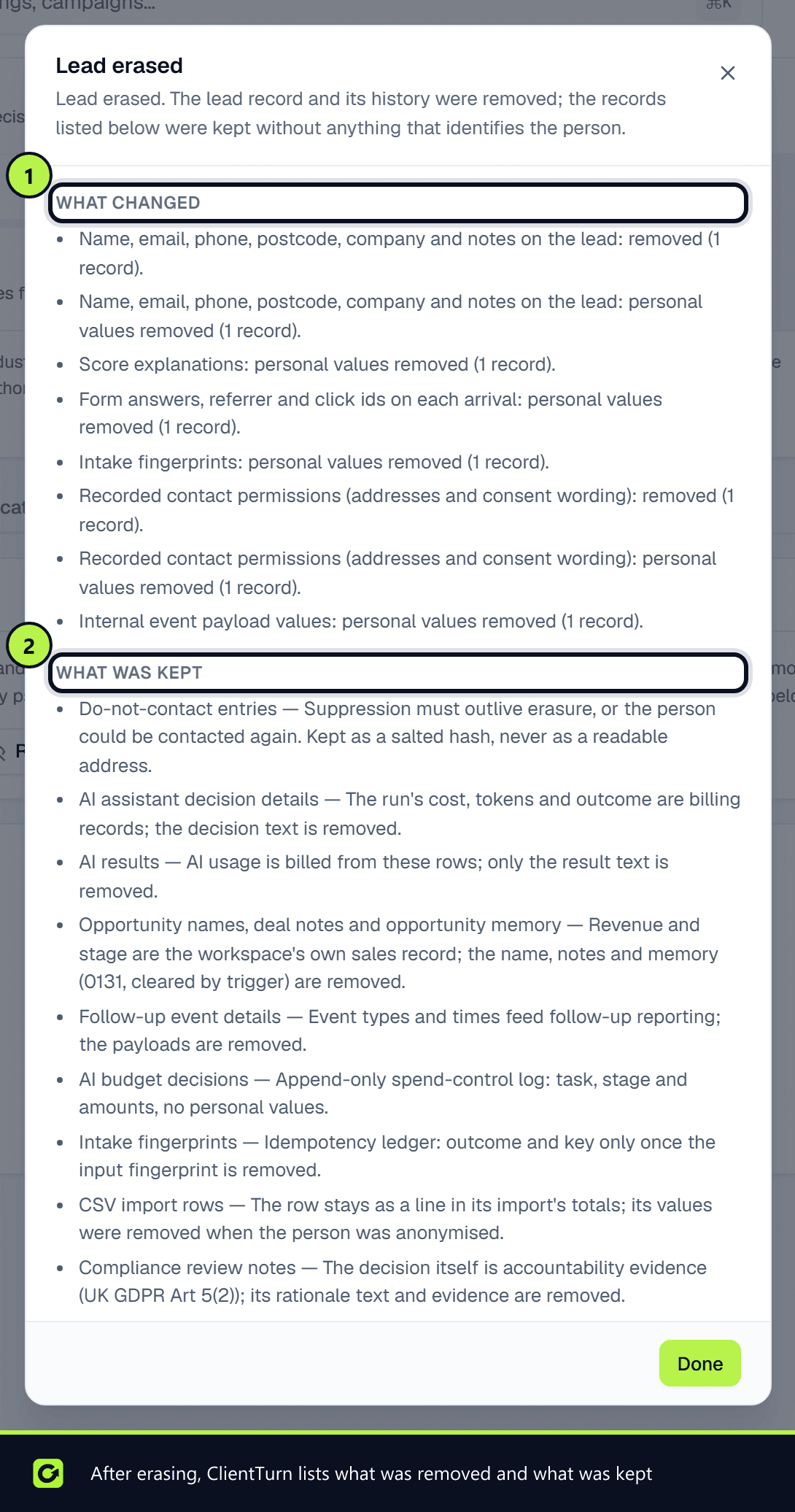
After you confirm, a summary lists What changed and What was kept.
Why a hash is kept: if someone asks to be erased, you still must not contact them again. ClientTurn keeps a one-way hash of their address, which it can match against but cannot read back. That is how the do-not-contact entry survives the erasure without keeping their address.
Privacy requests
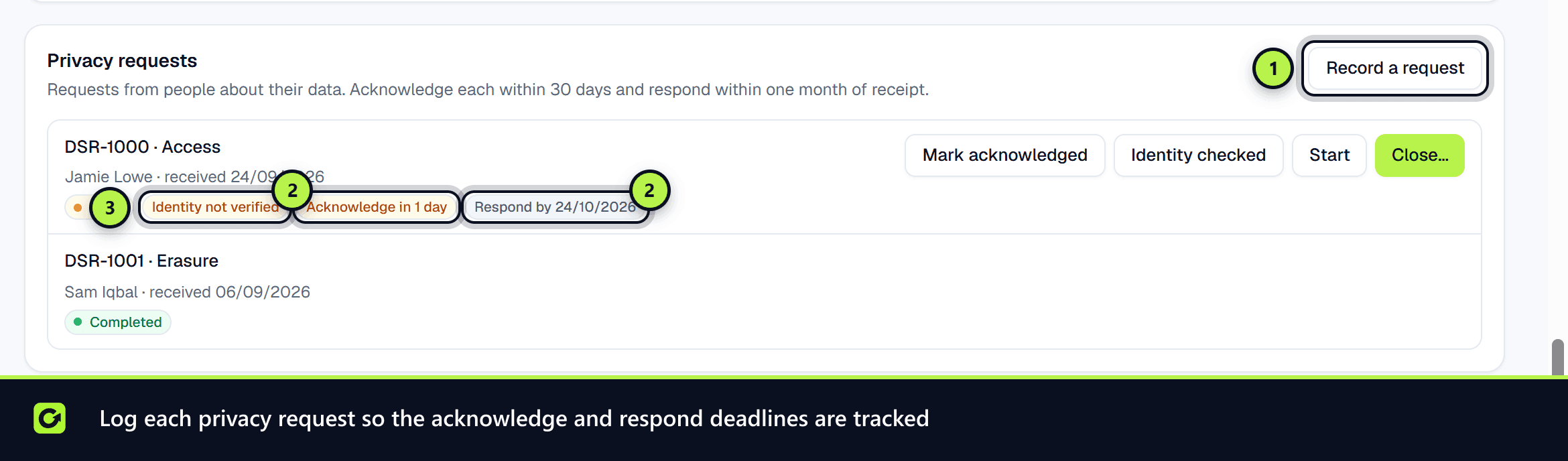
When someone asks about their data, log it so the deadlines are tracked. Go to Settings → Data Controls → Privacy requests (owners and admins).
- Step 1: Choose Record a request.
- Step 2: Pick the Type, and enter the person's Name or Email, the date it was Received on, and the Details in their words. Deadlines run from the day the person asked, not the day you recorded it.
- Step 3: Work the request from the list: Mark acknowledged, Identity checked, Start, and finally Close….
- Step 4: When you close it, choose an Outcome (Answered, or Refused, with reasons given to the person) and record How it was answered.
Each open request shows two clocks: Acknowledge within 30 days and Respond within one month of receipt.
Request types are: see the data held, erase, correct, restrict, object to marketing or profiling, make a data protection complaint, and challenge an automated decision such as a qualification or score.
People can also make a request through ClientTurn's public form at /privacy-request. They verify their email address first. Once they have, ClientTurn looks for them in every workspace, by the verified email across leads and prospects and by any phone number they gave across leads. Each workspace that holds them gets its own copy of the request in Privacy requests, and a notification that it needs a response.
- The copy keeps the date the person first asked, because the deadlines run from then.
- Its details say how the match was made. A match on email means the person proved they own that address. A match on phone alone arrives waiting for identity checks, because only the email was verified: confirm who they are before acting.
- A workspace never receives the same request twice.
Automatic retention
In Settings → Data Controls → Retention you can set how many days to keep:
- Uncontacted prospects
- Inactive leads
- Raw inbound payloads
Blank means kept until you remove them by hand. Choose Save data controls to save.
A daily job then anonymises leads and prospects past their period, and removes the payload from old raw events while keeping the event record. Won leads, leads with an upcoming booking, and leads with an open privacy request or a restriction are never included.
The Retention dry run card shows how many records the job would act on today with your current settings, before anything happens.
Exporting or deleting the whole workspace
The workspace owner can find Export data and Delete workspace at the bottom of Settings → Workspace. Deleting a workspace is permanent and cannot be undone, so export first. See Workspace settings.
Related
Screenshots
Still stuck?
Customers can raise a ticket from the help button inside the app. Not a customer yet? Talk to us.