
Settings
Data Controls settings
Your organisation's legal details, markets, permitted data sources, basis for contact, retention, how cautious to be, social outreach limits, privacy requests, suppression and evidence
3 min readUpdated 29 September 2026
Settings → Data Controls is where you tell ClientTurn about your organisation and set the rules your outreach follows. Everyone can see it. Owners and admins can change it, and only they see privacy requests and the retention dry run.
The panel at the top shows Ready for cold outreach once everything a cold email legally has to carry is on file. Otherwise it shows Cold outreach is not ready yet, with what is missing. Until then, every cold contact waits for a person's decision.
The form
Change any of the panels below, then choose Save data controls.
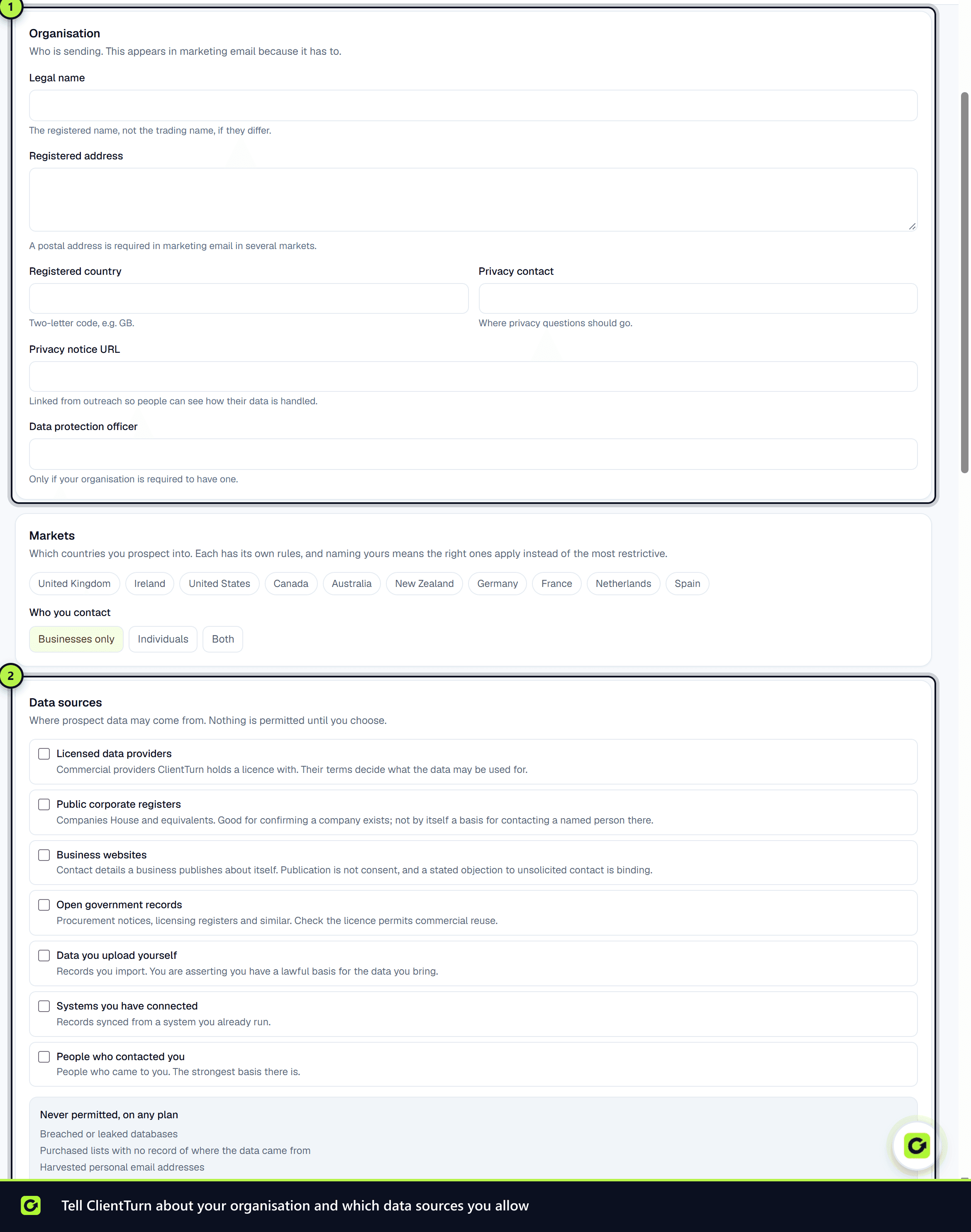
Organisation
Who is sending. Some of it appears in marketing email because it has to.
- Legal name: the registered name, if it differs from your trading name.
- Registered address and Registered country (a two-letter code such as GB).
- Privacy contact: where privacy questions should go.
- Privacy notice URL: linked from outreach so people can see how their data is handled. Cold first contact needs it. See Telling people where you got their details.
- Data protection officer: only if your organisation must have one.
Markets
The countries you prospect into, and whether you target businesses, individuals or both. Naming your markets means the right rules apply, not the most restrictive ones.
Data sources
Where prospect data may come from: Licensed data providers, Public corporate registers, Business websites, Open government records, Data you upload yourself, Systems you have connected and People who contacted you. Nothing is permitted until you choose.
Basis for contacting people
What makes your outreach lawful: Consent, Legitimate interests, Existing customer relationship, Request in the course of a contract or Another basis, with a Note. If you rely on legitimate interests, summarise your assessment in the note, and record the full assessment in AI & selling settings. ClientTurn records what you state. It does not assess it for you.
Retention
How long to keep Uncontacted prospects, Inactive leads and Raw inbound payloads, in days. Blank means kept until removed by hand. See Data rights.
How cautious to be
What happens to a prospect that is neither clearly allowed nor clearly refused: Only confirmed companies, Ask me about anything unclear or Contact on my stated basis. See Compliance overview.
Social outreach
How much of connect-then-message outreach runs without someone watching:
- Send without a person: off by default. It has no effect unless an account sends through a partner integration. Automating a personal LinkedIn account any other way is not offered.
- Turn a positive reply into a Lead automatically: off by default. When on, an interested reply, a question or an objection becomes a lead and the conversation assistant picks it up. Anything unclear, and any opt-out, still waits for a person.
- Withdraw unanswered invites after, Gap between follow-ups and Follow-ups after the first message.
Below the form
- Retention dry run: how many records the daily retention job would anonymise today.
- Privacy requests: log requests and track the 30-day and one-month deadlines. See Data rights.
- Suppression: how many contacts must not be contacted again, by reason. Entries cannot be removed here. See Suppression, STOP and unsubscribe.
- Evidence you can produce: the last 30 days of contact decisions, and the rule versions currently in force.
- Audit log export: every change made in the workspace, by a person, the API, MCP or the system, with who did it and when. Choose From and To (up to 366 days per export) and a Format (CSV or JSON), then Export. Only the owner or an admin can export it. Entries are kept for 12 months by default and then deleted automatically; the owner can change the period in Security settings.
Related
Screenshots
Still stuck?
Customers can raise a ticket from the help button inside the app. Not a customer yet? Talk to us.