
Integrations
Connecting LinkedIn
What the LinkedIn connection does, the approval LinkedIn requires, and what ClientTurn will never do on LinkedIn
2 min readUpdated 26 September 2026
The LinkedIn connection, shown as LinkedIn Lead Gen Forms in Settings → Connections, collects submissions from the lead forms on your LinkedIn ads.
Connect
- Step 1: Open Settings → Connections, find LinkedIn Lead Gen Forms under Ads / lead sources and choose Connect, then Connect again in the panel.
- Step 2: Sign in to LinkedIn with an account that has an admin role on your Company Page, and approve access. ClientTurn asks to read lead-gen forms and their responses, your ad accounts, and the organisations you administer.
- Step 3: Back in Connections, a message confirms the connection, and the card shows the organisation it linked to. At first that is the first organisation your account administers.
Choosing the organisation
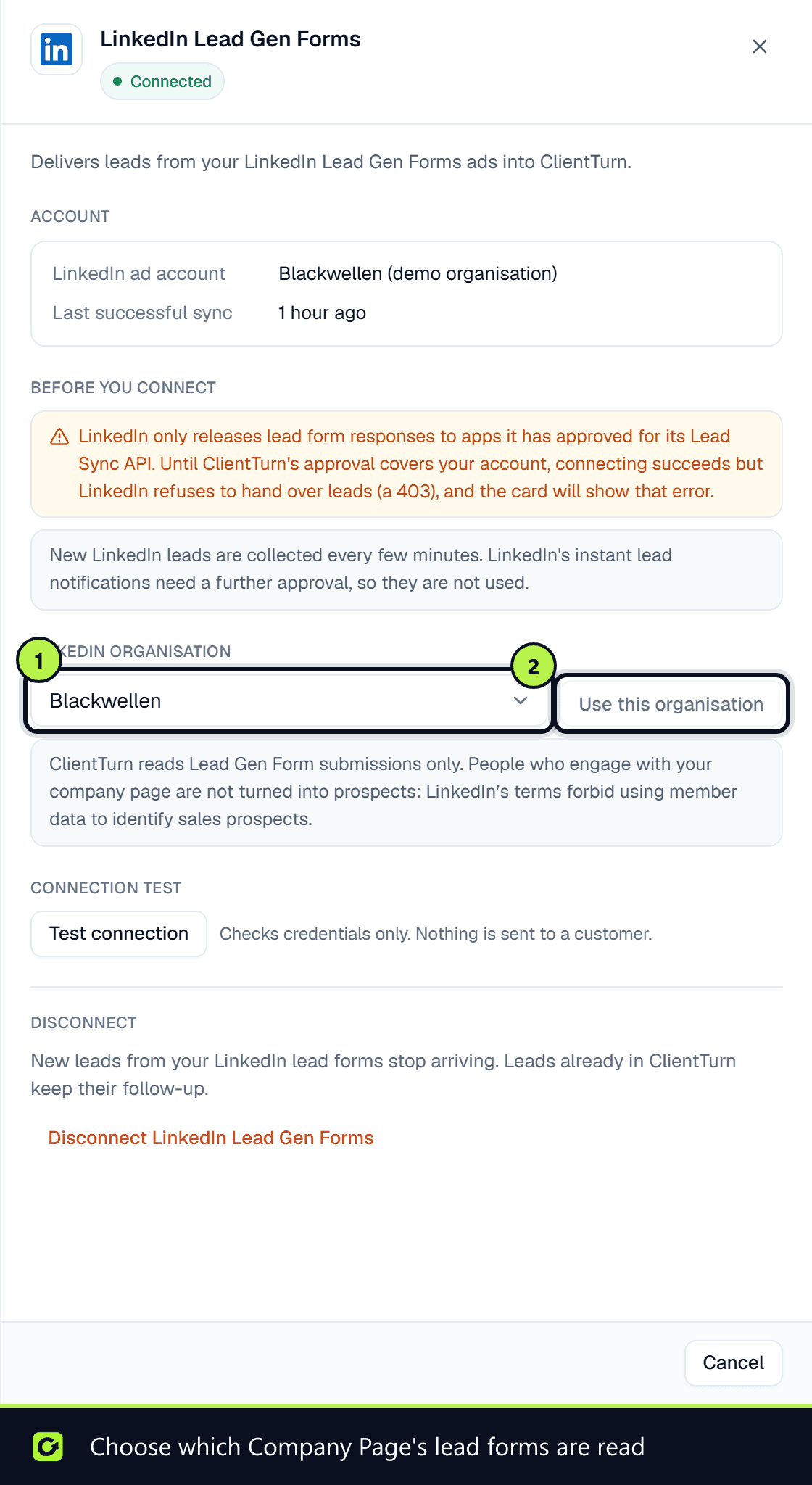
If your LinkedIn account administers more than one Company Page, for example at an agency, open the card's Manage panel. Under LinkedIn organisation, pick the one you want and choose Use this organisation. Only owners and admins can change it.
ClientTurn reads Lead Gen Form submissions only. People who engage with your Company Page are not turned into prospects, because LinkedIn's terms forbid using member data to identify sales prospects.
LinkedIn's approval
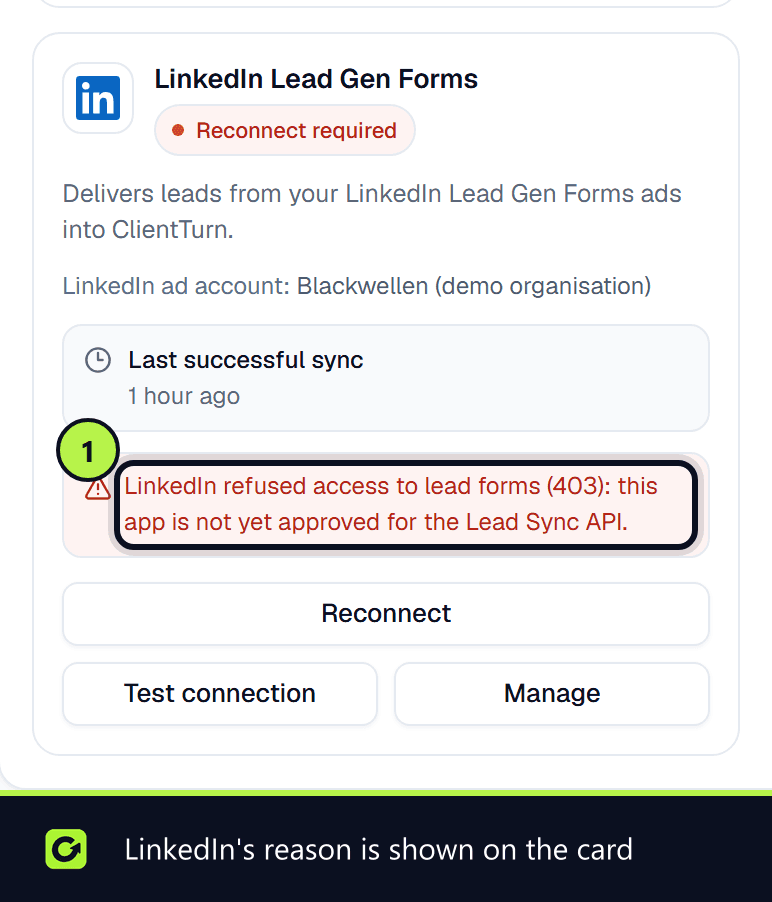
LinkedIn gives lead-form access only to applications approved for its Lead Sync programme. The connection can complete before that access is in place, but LinkedIn then refuses every request and the card shows Reconnect required with LinkedIn's reason. If you see a message about lead access permission, contact support.
What ClientTurn will not do on LinkedIn
LinkedIn's terms prohibit automated connection requests, automated messages and scraping, and its messaging APIs are open only to approved partners. So ClientTurn never:
- logs in to your personal LinkedIn account or holds your password;
- sends connection requests or messages for you;
- reads your LinkedIn inbox;
- searches LinkedIn members for prospecting.
Outreach on LinkedIn is assisted: ClientTurn prepares and paces it, and you send it yourself. See Sales Navigator, assisted.
Related
Screenshots
Still stuck?
Customers can raise a ticket from the help button inside the app. Not a customer yet? Talk to us.