
Integrations
Integrating with your CRM
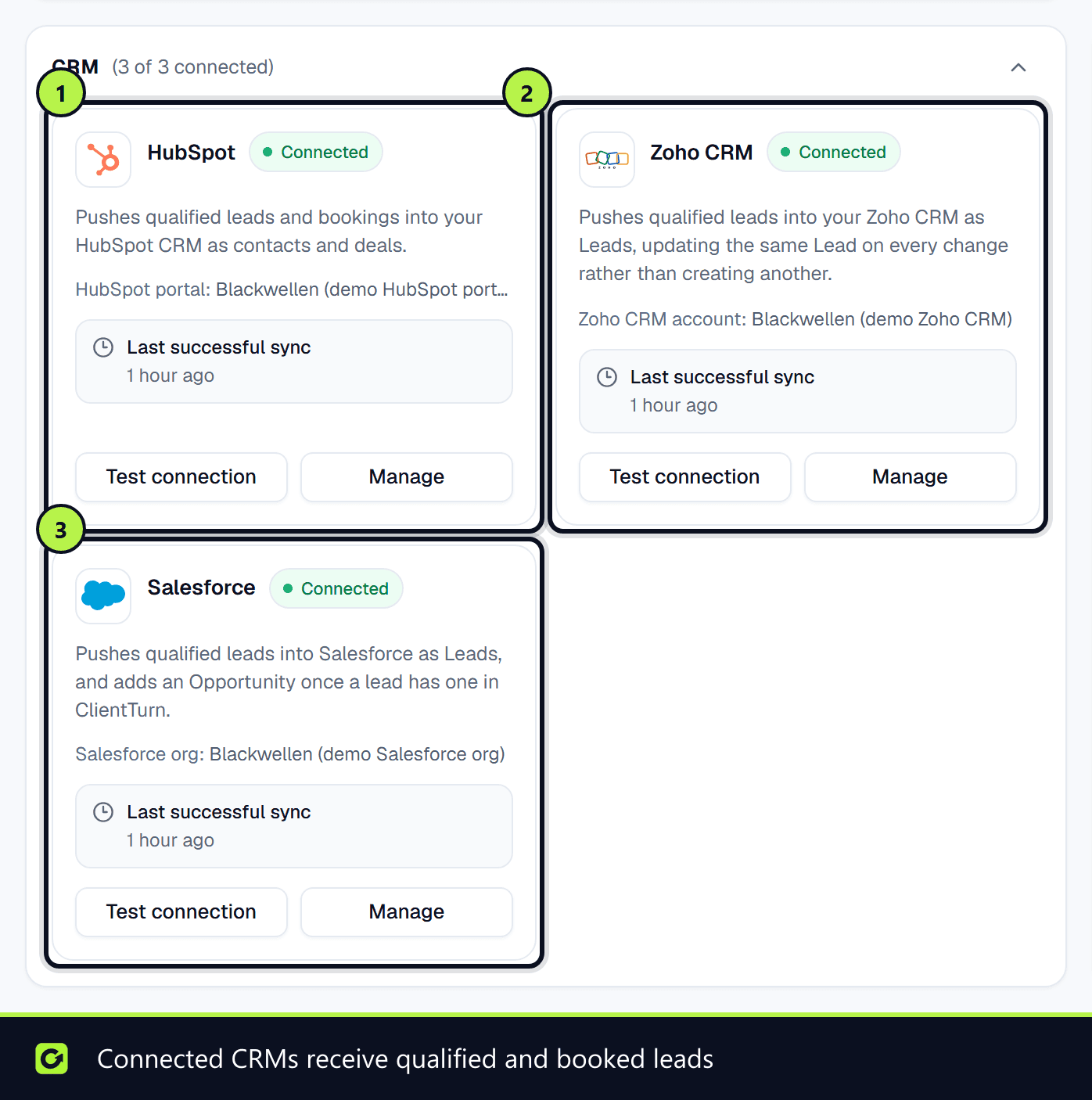
How ClientTurn pushes qualified and booked leads into HubSpot, Salesforce or Zoho CRM, and optionally imports new CRM records back
2 min readUpdated 26 September 2026
ClientTurn works alongside your CRM rather than replacing it. There are two directions, and you choose each separately.
| Direction | What happens | Default |
|---|---|---|
| Push (ClientTurn → CRM) | A lead that reaches Qualified, Booked or Won is written to your CRM, and updated there as it moves on | On as soon as the CRM is connected |
| Pull (CRM → ClientTurn) | New and changed CRM records are added to Leads, without anyone being messaged | Off until you switch it on |
Which CRMs
| CRM | Connect by | Push creates | Pull reads | Article |
|---|---|---|---|---|
| HubSpot | A HubSpot Service Key you paste in | Contact, with a linked deal | Contacts | Connecting HubSpot |
| Salesforce | Signing in to Salesforce | Lead, plus an opportunity | Leads | Connecting Salesforce |
| Zoho CRM | Signing in to Zoho | Lead | Leads | Connecting Zoho CRM |
| Pipedrive | A signed inbound endpoint | Nothing: Pipedrive sends contacts to ClientTurn only | Contacts you post from Pipedrive, as prospects | Connecting Pipedrive |
All of them are under Settings → Connections. Only owners and admins can connect or disconnect a CRM.
How push works
- Each qualifying change queues a push to every connected CRM. Nothing happens inside the step that changed the lead, so a slow CRM never slows follow-up down.
- Pushing the same lead again updates the same CRM record rather than creating a duplicate.
- When the conversation is handed to a person, the lead brief is also added to the CRM record as a note, where the CRM supports it.
- If a push fails, it is retried. A connection whose credentials stop working shows Reconnect required on its card.
Push status
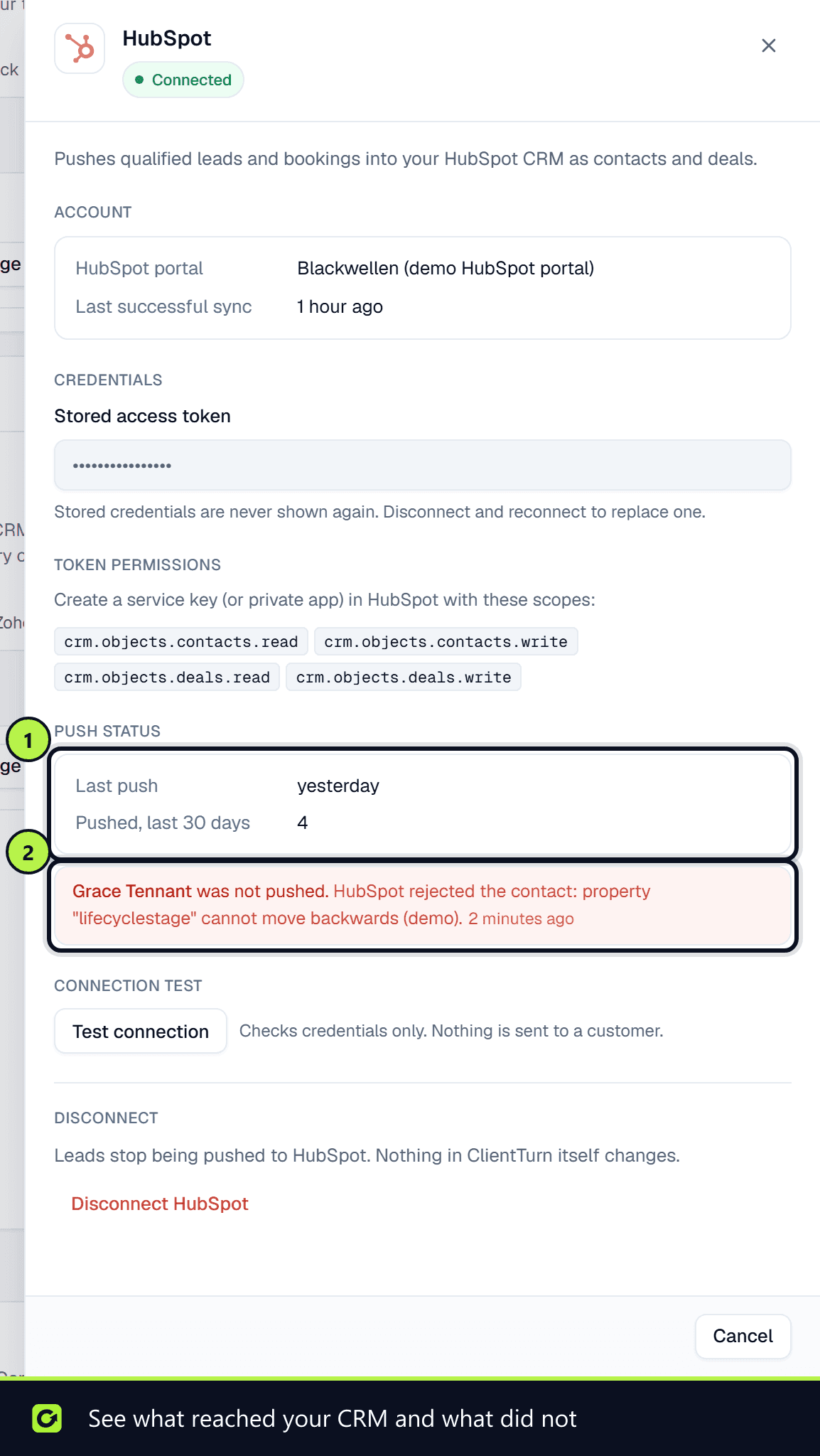
Each CRM card's Manage panel has a Push status section: Last push, Pushed, last 30 days, and any recent failed pushes. Each failure names the lead (with a link to it), whether it was not pushed at all or only partly pushed (the record exists in your CRM, but not everything was written), and the CRM's reason. When there are none, it says No failed pushes.
How pull works
Pull is opt-in per CRM. When it is on, ClientTurn checks about every 15 minutes for records added or changed since you switched it on, adds them as leads marked Imported from another system, and does not start follow-up. Records ClientTurn itself pushed are never imported back. See Pulling leads from your CRM.
Erasure
When you erase or anonymise a lead in ClientTurn, the linked CRM record is handled too: HubSpot uses its GDPR delete, and Salesforce and Zoho move the record to their recycle bin. See Data rights.
Related
- Troubleshooting integrations
- Webhooks, if you want to push events to a system that is not listed here
Screenshots
Still stuck?
Customers can raise a ticket from the help button inside the app. Not a customer yet? Talk to us.