
Reactivation
Reactivating existing leads
Pick old leads already in ClientTurn with filters such as age, status, service, source and no reply, check the estimate, and launch a campaign to them
2 min readUpdated 27 September 2026
The simplest reactivation audience is the leads you already have: people who enquired but went quiet.
Build the audience
- Step 1: Open Reactivation and choose Create campaign.
- Step 2: Under Audience source, choose Existing ClientTurn leads.
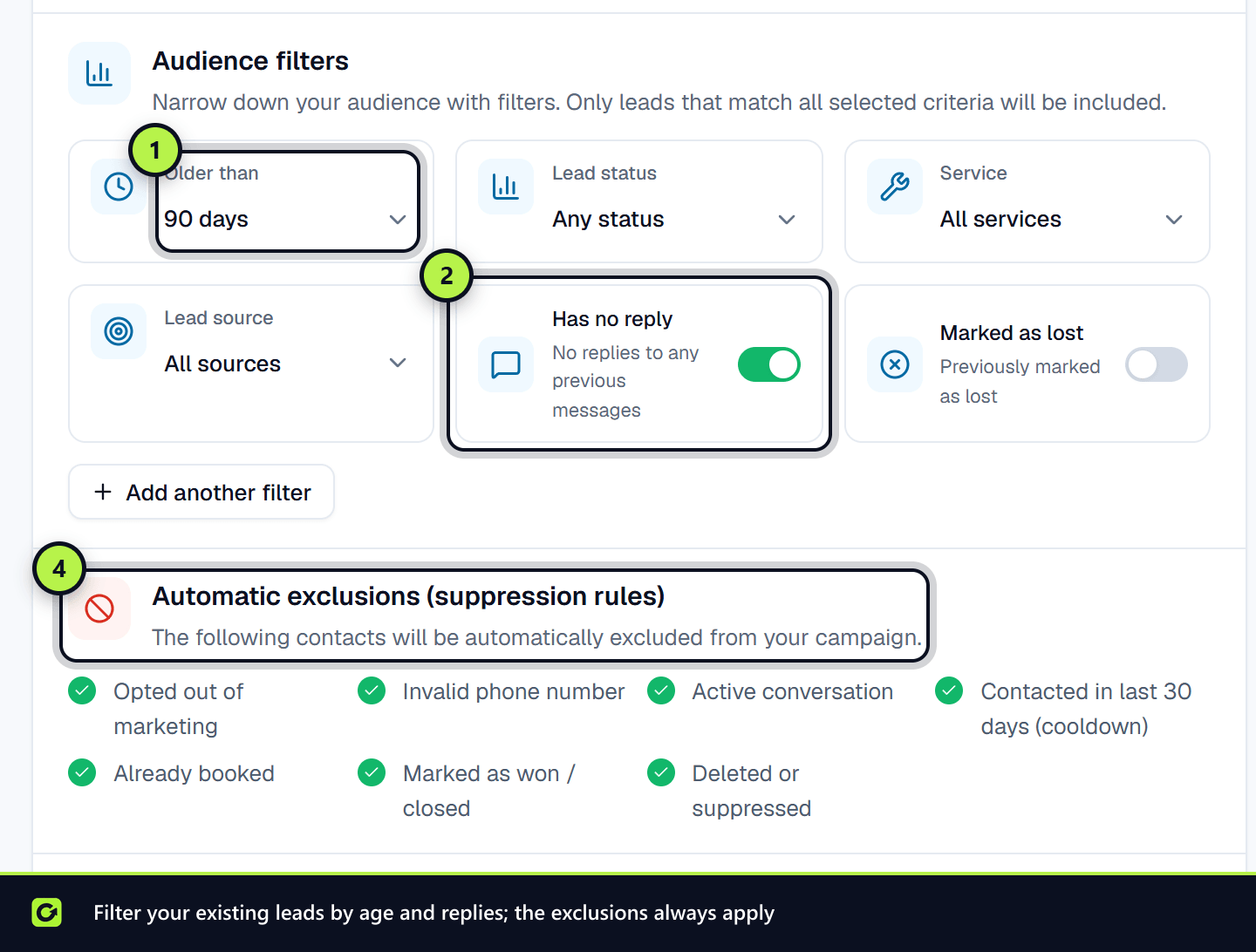
- Step 3: Set the Audience filters. A lead must match every filter you set:
| Filter | What it does |
|---|---|
| Older than | Leads that arrived at least this long ago: 30 days, 60 days, 90 days (default), 6 months, 1 year or 2 years |
| Received after | Leads that arrived after a date, to set an upper age limit |
| Lead status | Only leads in the statuses you choose. Any status by default |
| Service | Only leads for one service, or All services |
| Lead source | Only leads from one source, or All sources |
| Has no reply | Only leads who never replied. On by default |
| Marked as lost | Only leads previously marked lost |
| Not booked | Excludes anyone who ever booked. On by default |
| Cooldown (not contacted in) | Excludes anyone contacted within this many days. 30 by default |
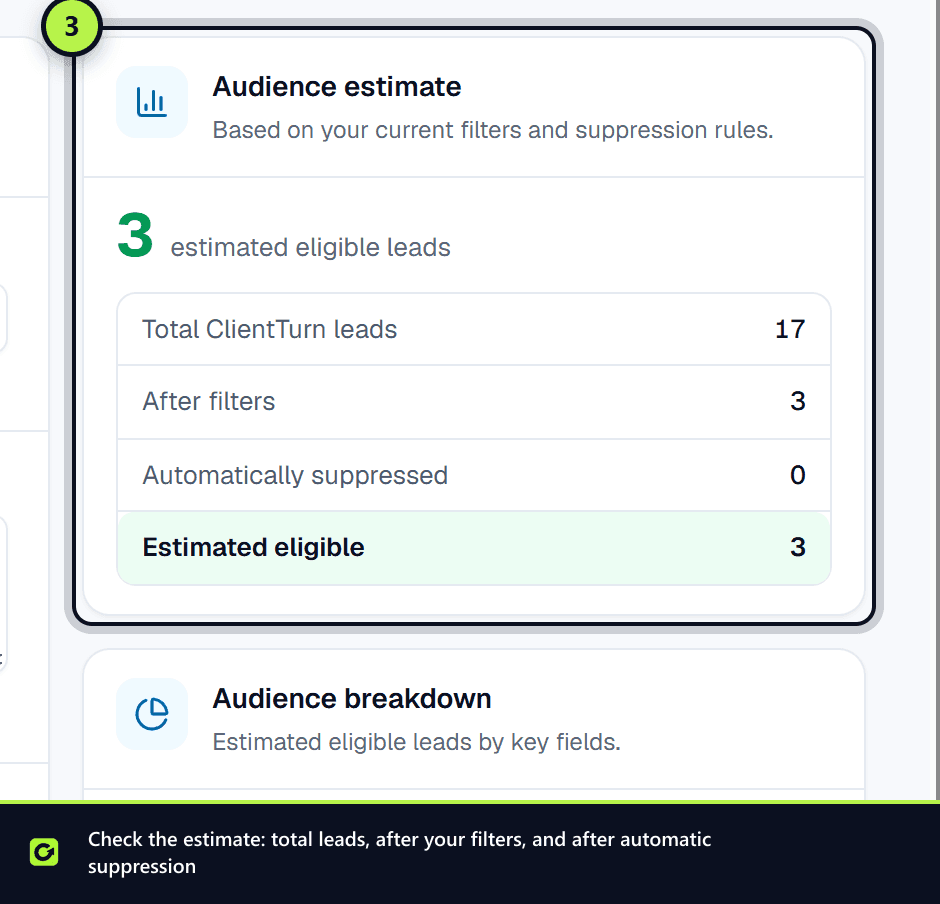
- Step 4: Check the Audience estimate: Total ClientTurn leads, After filters, Automatically suppressed and Estimated eligible. Audience breakdown splits the eligible leads by a field you choose.
- Step 5: When at least one contact is eligible, choose Continue to Message & Timing and carry on. See Reactivation overview.
Automatic exclusions
Whatever filters you choose, some leads are always left out. The Automatic exclusions (suppression rules) panel lists them: opted out, invalid phone number, an active conversation, contacted within the cooldown, already booked, won, and deleted or suppressed. See Who reactivation will not contact.
Tips
- Match the message to the filter. Leads marked lost for price need a different message from leads who simply never replied.
- Use the tags. Leads tagged Gone quiet or Nurture are often good candidates. See Lead tags.
- Leave the cooldown on. Contacting someone again soon after your last message rarely helps and risks complaints.
- Start small. Try a narrow audience first and check the reply rate in the campaign's results before sending to everyone.
Related
Screenshots
Still stuck?
Customers can raise a ticket from the help button inside the app. Not a customer yet? Talk to us.