
Reactivation
Who reactivation will not contact
The people a reactivation campaign always leaves out, why, and the further checks every message passes at the moment it is sent
2 min readUpdated 27 September 2026
A reactivation campaign never messages everyone in its audience. Two sets of checks decide who is left out.
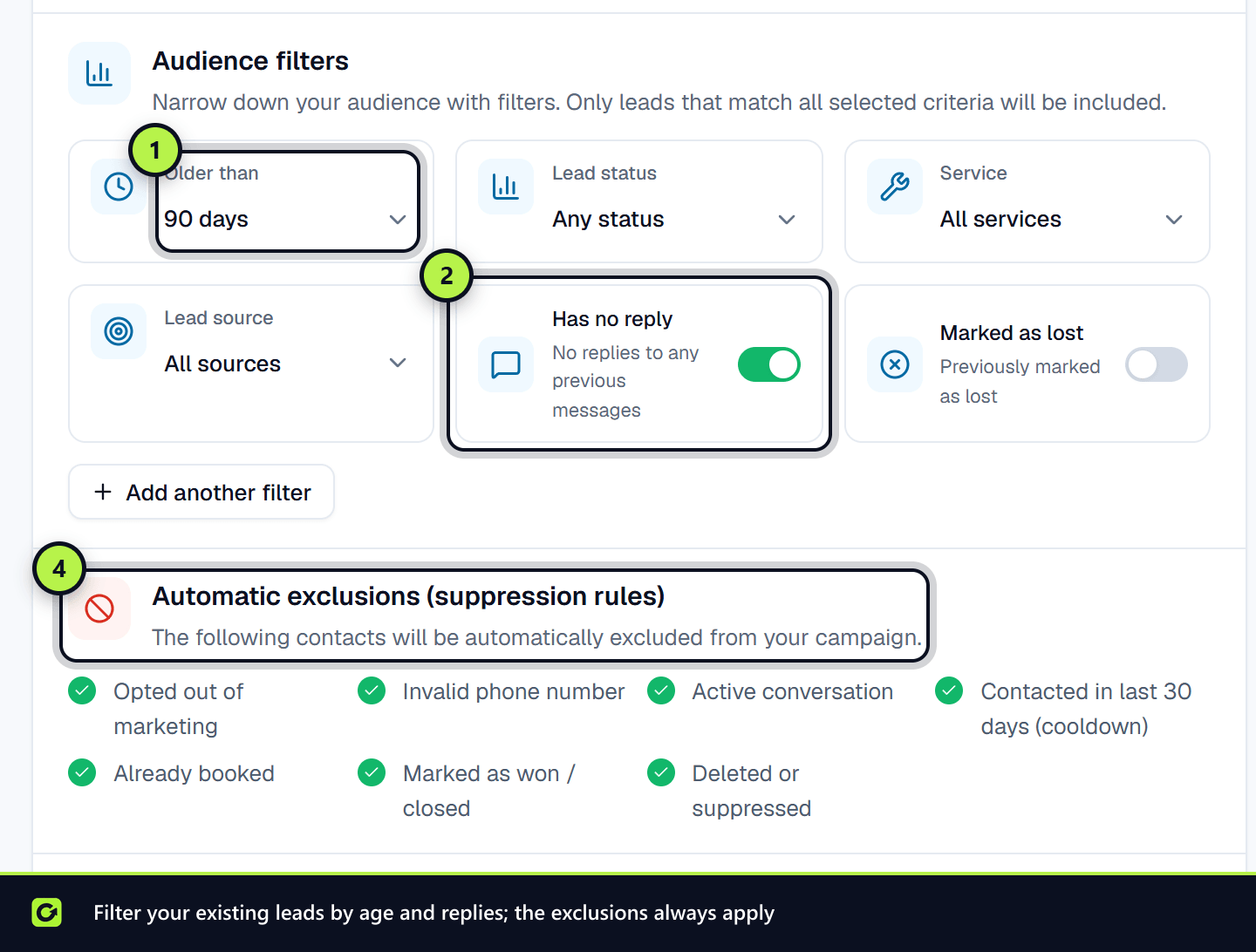
1. Excluded from the audience
These people are removed when the audience is built. The builder shows how many under Automatically suppressed, and the review step lists them under Suppression reasons. Each person is counted once, under the first reason that applies:
| Reason | Who |
|---|---|
| Opted out | Anyone who opted out of your messages |
| Invalid number | No usable address on the campaign's channel, such as no valid mobile for SMS or no email for an email campaign |
| Deleted / suppressed | Anyone on your do-not-contact list |
| Active conversation | Anyone whose conversation a person on your team has taken over |
| Recently contacted | Anyone you contacted within the cooldown, 30 days by default |
| Won customers | Leads marked won |
| Already booked | Leads who have booked |
2. Checked again before each message
Between launch and sending, things change. So every message is checked again at the moment it is sent:
- Opt-outs and suppression, in case the person opted out since launch.
- Replies and bookings. Someone who has replied or booked since does not get the follow-up message.
- Contact rules. Imported contacts who are not confirmed companies need a relationship or consent on record. See Reactivating a CSV list.
- WhatsApp opt-in and templates, for WhatsApp campaigns. See WhatsApp templates for reactivation.
- Quiet hours. The message waits until the next permitted time rather than being dropped.
- Contact limits. A lead who has already had an automated message today waits until tomorrow. One who has had 3 this week or 6 in 30 days, from any mix of sequences, campaigns and check-ins, is skipped. A lead who has ignored 4 automated messages in a row and shows little interest is not messaged until they respond. See Re-engagement check-ins, no-shows and win-back.
- Your limits. A daily limit makes it wait until tomorrow. A used-up monthly allowance with no top-up credit left stops it. See Usage and limits.
- Your subscription. If a payment has failed and sending is paused, messages wait until it is paid. See What happens if a payment fails.
A message that is refused is not lost silently: the reason is recorded on it. A message that is only waiting goes out as soon as it is allowed.
If a campaign reaches fewer people than you expected
- Step 1: Check Automatically suppressed in the builder and Suppression reasons on the review step.
- Step 2: Relax a filter if it is too tight, for example Has no reply or the Cooldown (not contacted in) period.
- Step 3: For SMS or WhatsApp, check that your leads have mobile numbers. For email, check they have email addresses.
- Step 4: Check the campaign's results for failed messages, and open one of those leads to see why.
Related
Screenshots
Still stuck?
Customers can raise a ticket from the help button inside the app. Not a customer yet? Talk to us.