
Settings
Billing & Usage settings
A tour of the owner-only Billing & Usage section, including your plan and status, usage against every limit, prepaid credits, daily limits, AI credits and invoices
2 min readUpdated 30 September 2026
Settings → Billing & Usage is owner-only. Anyone else who opens it sees Billing is owner-only and is asked to speak to the owner.
What is on the page
| Panel | What it shows |
|---|---|
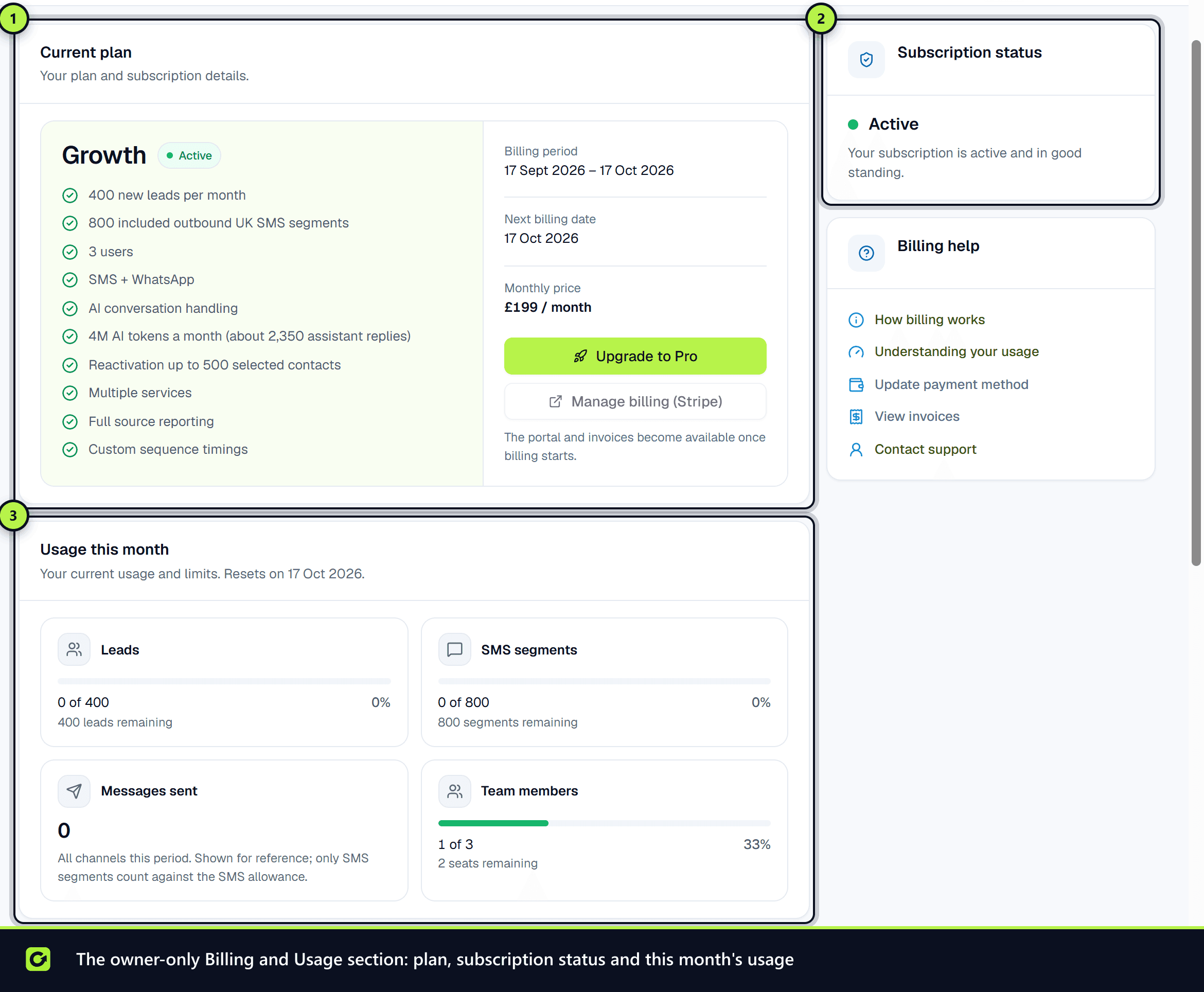
| Current plan | Your plan and what it includes, the billing period, the next billing date (or Access ends if the subscription is ending), and the monthly price. Buttons: Upgrade to the next plan, and Manage billing (Stripe) |
| Subscription status | Active, trialling, payment failed or cancelled, with what that means, the trial end date, and the card on file |
| Usage this month | Leads, messages and team members against your plan, and the date usage resets |
| Recent invoices | Your latest invoices with a Download link, and View all invoices in the Stripe portal |
| Usage & limits | Every limit, this period and today, with top-up credit and what happens at the limit |
| Message credits | Your SMS credit and WhatsApp token balances, SMS bundles and WhatsApp token packs to Buy (with the notice Non-refundable once any credit is used.), and Purchase history, which marks each purchase Refundable or Non-refundable (credit in use) |
| Monthly usage overview | Prospects sourced, messages sent, intent monitors and search runs |
| Communication allocation | How your message allowance is split between channels, and Daily sending limits (all channels) |
| Channel usage and Usage history | Sent, delivery and replies per channel this month, and past months |
| AI credits | AI credits used and left, your top-up balance, roughly how many assistant replies remain, Buy more AI credits, and Recent top-ups |
| Billing help | Links to update your payment method, view invoices or contact support |
The Stripe portal buttons become available once billing has started.
There is no overage setting, because there is no overage: nothing is charged past an allowance. Prepaid top-up credit (WhatsApp tokens, for WhatsApp) is the only way to send more SMS or WhatsApp before the allowance resets.
Common tasks
- Update your card: Manage billing (Stripe) or Update payment method. See What happens if a payment fails.
- Upgrade, downgrade or cancel: see Changing your plan.
- Buy more SMS, WhatsApp or AI: see Top-up credits for AI, SMS and WhatsApp.
- Understand a limit or change a daily cap: see Usage and limits.
Related
Screenshots
Still stuck?
Customers can raise a ticket from the help button inside the app. Not a customer yet? Talk to us.