
Settings
Connections settings
Connect lead sources, messaging, calendars and CRMs, read each connection's status, check your sending mailbox and domain, and map WhatsApp templates
4 min readUpdated 27 September 2026
Settings → Connections is where ClientTurn links to the other services you use. Owners and admins can connect and change things here. Everyone else can see the status of each connection.
What is on the page
From top to bottom:
- Step 1: Your sending mailbox: the mailbox your outreach email is sent from. See Setting up email outreach.
- Step 2: Sending domain health: whether each sending domain passes SPF, DKIM and DMARC, with bounce and complaint figures. It is checked daily against DNS.
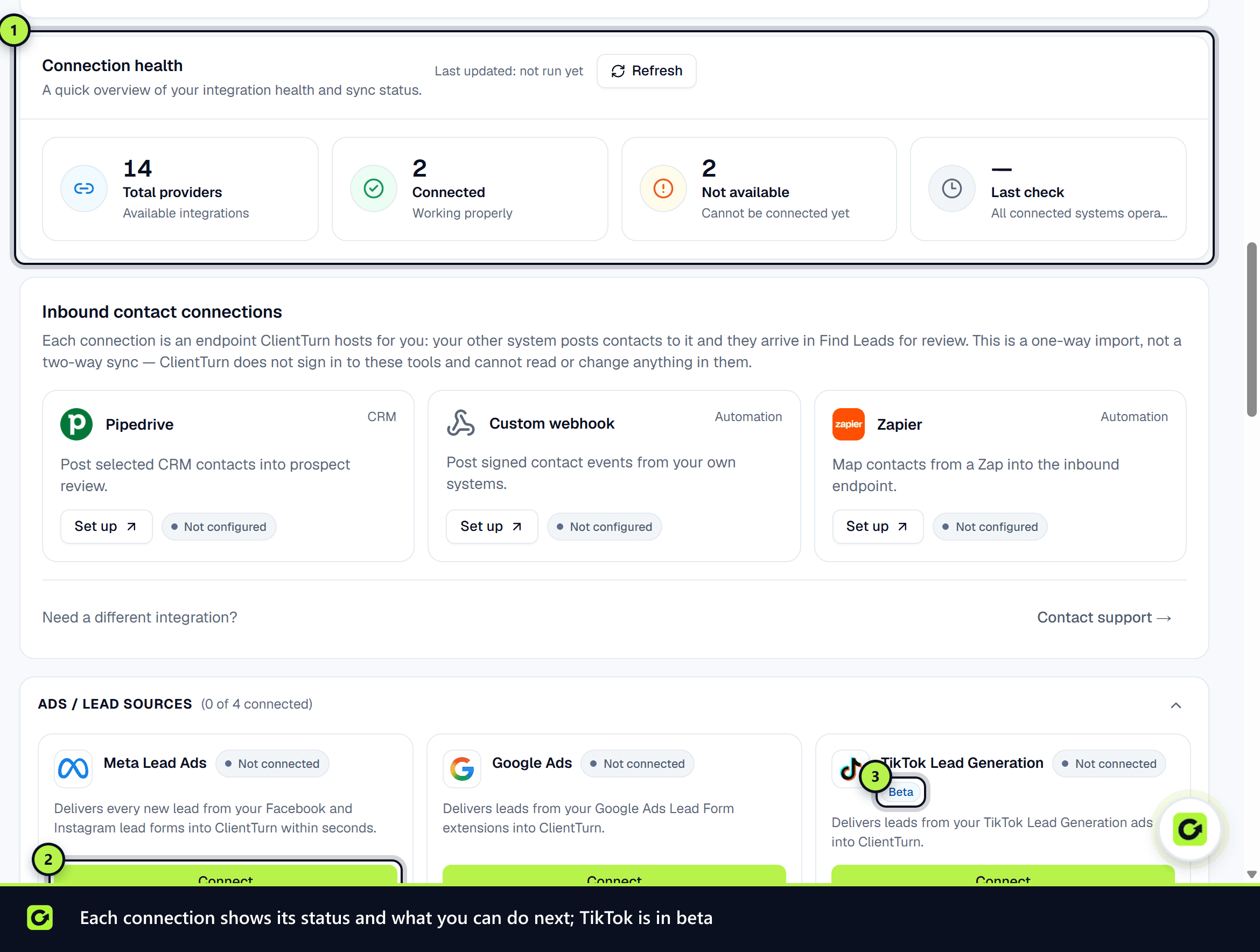
- Step 3: Connection health: how many providers are connected, and when they were last checked.
- Step 4: Inbound contact connections, for tools that send contacts into ClientTurn.
- Step 5: Connection cards, grouped as Ads / lead sources, Messaging, Booking, CRM and Email.
- Step 6: Social sending accounts: the LinkedIn, Facebook, Instagram or TikTok accounts your team sends from. See Social sending accounts below.
- Step 7: CRM import and WhatsApp templates.
Connection cards
Each card shows a status:
| Status | Meaning |
|---|---|
| Connected or Healthy | Working |
| Needs attention | Working, but something needs checking. Reconnect is offered |
| Reconnect required | The connection has stopped. Reconnect it |
| Testing | A test is running |
| Not connected | Not set up yet |
| Not on your plan | Needs a higher plan, for example WhatsApp needs Growth |
A card's buttons depend on its status: Connect, Reconnect, Test connection and Manage. A card marked Beta works but has not yet been proven against a live account (currently TikTok Lead Generation).
Available connections include Meta Lead Ads, Google Ads, TikTok Lead Generation (Beta), LinkedIn Lead Gen Forms, Twilio SMS, WhatsApp, WhatsApp (direct), Slack, Google Calendar, Calendly, HubSpot, Zoho CRM and Salesforce.
- WhatsApp (direct) connects your own WhatsApp Business number through Meta, with no reseller in between. Choose Connect and complete Meta's sign-up dialog. It needs Growth or above, where WhatsApp is a paid add-on paid per message in prepaid WhatsApp tokens.
- Twilio SMS and WhatsApp are run for you on ClientTurn's shared account, so they have nothing to connect.
- Resend email is ClientTurn's own system email: team invitations, handover alerts and failure warnings. It does not send your campaigns or replies to leads; those go out from the mailbox at the top of the page.
After you connect
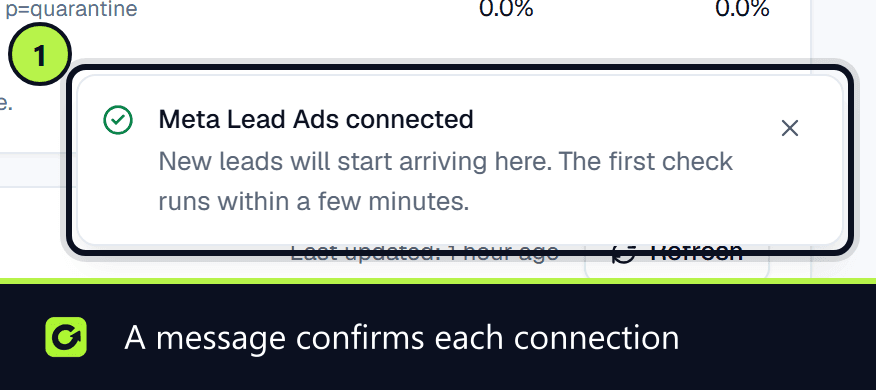
When a sign-in connection (such as Meta, Google or LinkedIn) brings you back to this page, a message tells you how it went: for example Meta Lead Ads connected, or That connection did not complete if you cancelled, declined a permission or the sign-in link expired. Nothing is connected in that case; choose Connect again.
What the Manage panel shows
Some cards show more once connected:
| Card | Extra detail |
|---|---|
| Meta Lead Ads | The Facebook Page leads come from, with Use this Page to switch, and when Meta's access expires. The card warns 10 days before expiry. See Connecting Meta |
| Google Ads | The Google Ads account leads are read from, with an account picker, and the Webhook URL and Key for instant delivery. See Connecting Google Ads |
| LinkedIn Lead Gen Forms | The LinkedIn organisation, with Use this organisation to switch. See Connecting LinkedIn |
| HubSpot, Salesforce, Zoho CRM | Push status: last push, pushes in the last 30 days, and failed pushes. See Integrating with your CRM |
| Slack | The Alert channel alerts are posted to. See Connecting Slack |
Only owners and admins can change these, and only they can see the Google Ads webhook key.
Social sending accounts
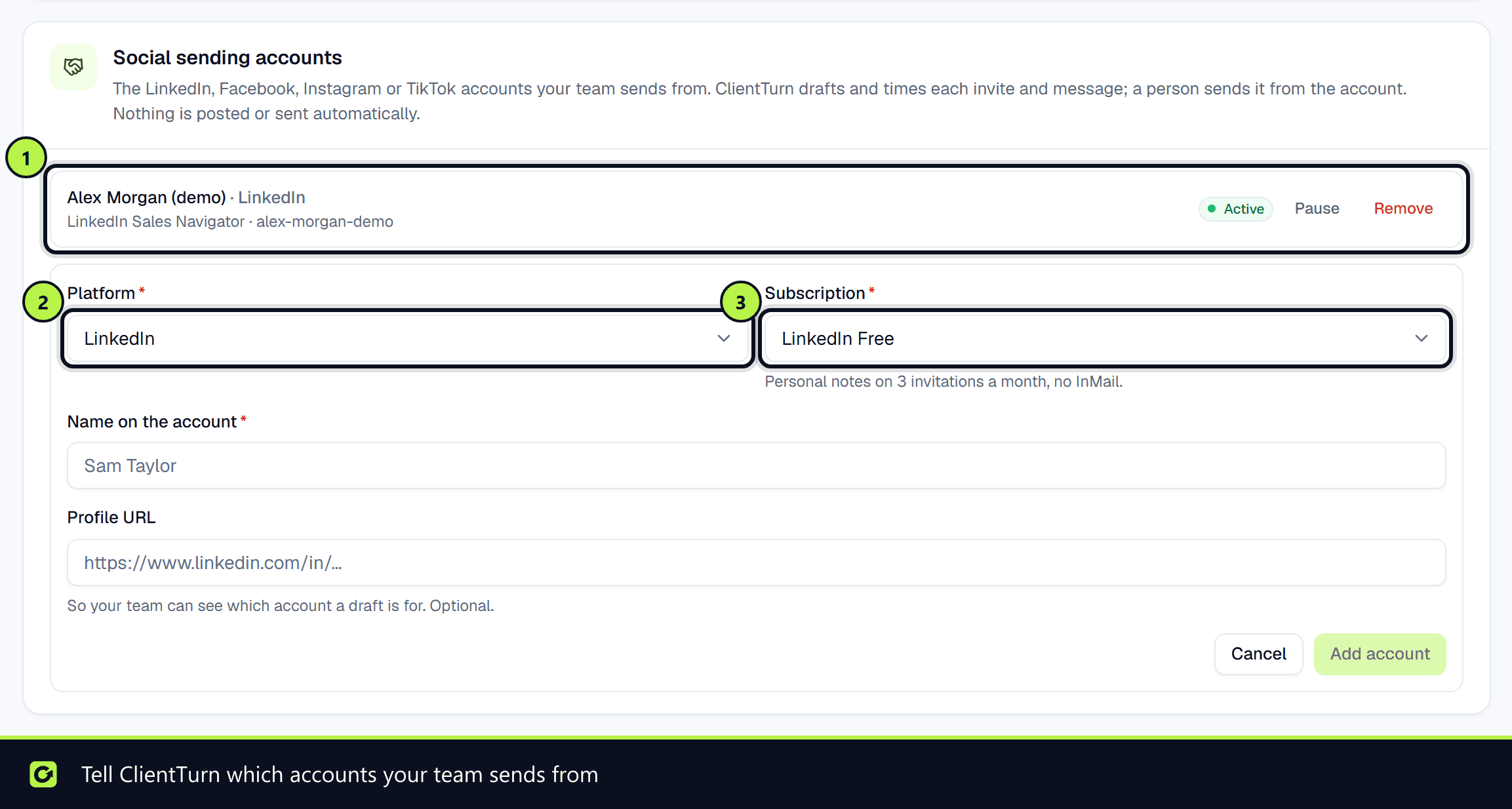
ClientTurn never logs in to a social platform. It drafts and times invitations and messages, and a person on your team sends them from their own account. This card tells ClientTurn which accounts those are, so Find Leads paces against the right allowances.
- Step 1: Choose Add account.
- Step 2: Pick the Platform (LinkedIn, Facebook, Instagram or TikTok) and the Subscription, for example LinkedIn Free, Premium, Sales Navigator or Recruiter. The subscription sets the limits: LinkedIn Free allows personal notes on 3 invitations a month and no InMail.
- Step 3: Enter the Name on the account and, optionally, the Profile URL, then choose Add account.
Owners and admins can Pause, Resume or Remove an account. See LinkedIn Sales Navigator, assisted.
CRM import
Import contacts from your CRM brings new and updated contacts in as leads marked as imported. Nobody is messaged just because they are in your CRM, and leads ClientTurn sent to your CRM are never imported back. Only owners and admins can change it.
WhatsApp templates
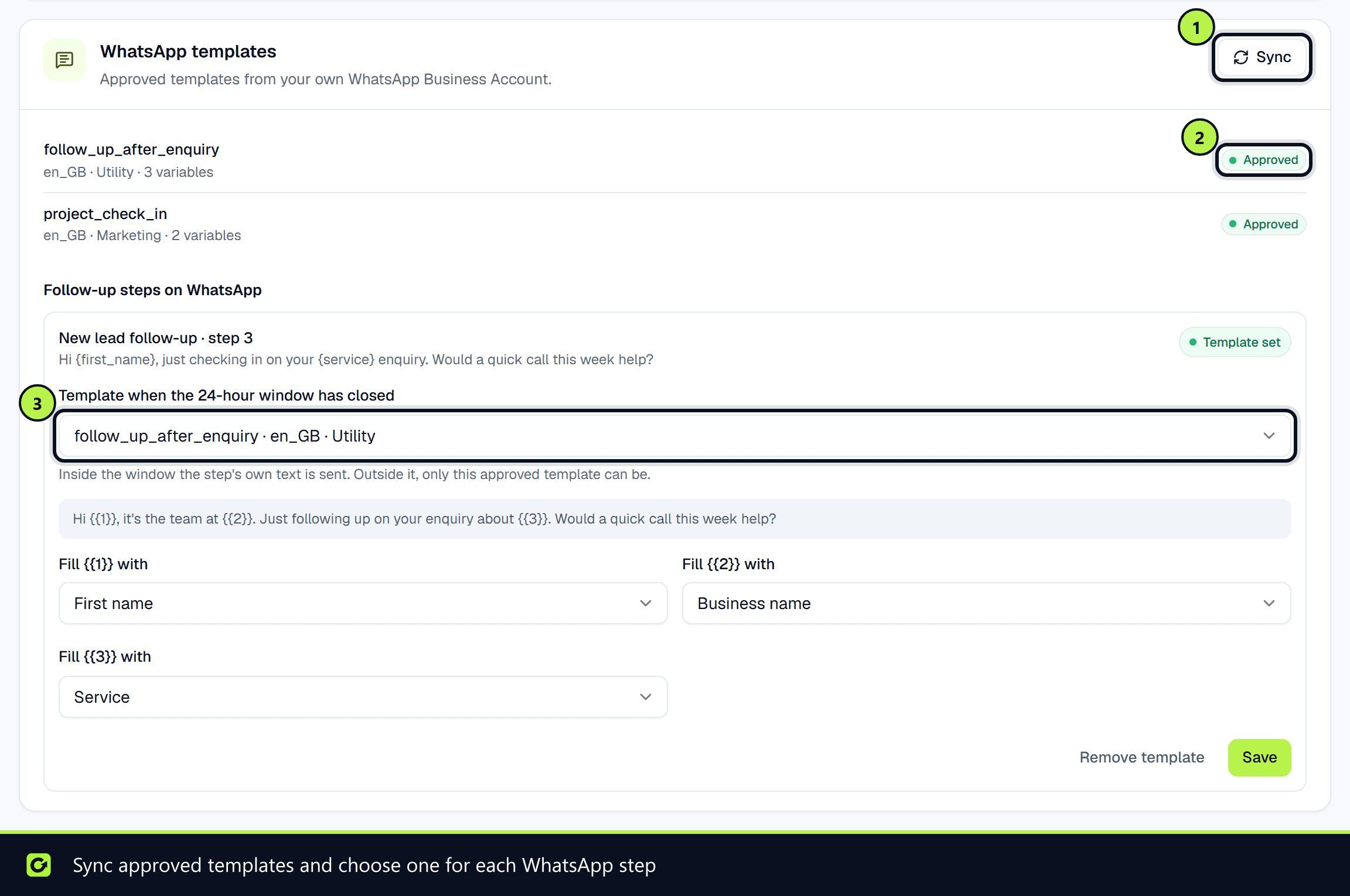
WhatsApp only allows free-form messages within 24 hours of the person's last message. After that, only an approved template can be sent. Templates are synced once a day, or when you sync them yourself. Under Follow-up steps on WhatsApp, choose a Template when the 24-hour window has closed for each step. A step with No template is held for a person. See WhatsApp templates for reactivation.
Related
Screenshots
Still stuck?
Customers can raise a ticket from the help button inside the app. Not a customer yet? Talk to us.