
Getting started
Your first week with ClientTurn
A day-by-day plan for your first week, from connecting lead sources to trusting the assistant with more
2 min readUpdated 27 September 2026
This plan assumes you have finished setting up your workspace. Each step links to the detailed guide.
Day 1: connect where your leads come from
- Connect your lead sources in Settings → Connections: Meta Lead Ads, Google Ads, LinkedIn Lead Gen Forms.
- If enquiries arrive through your website, send them in with the API.
- Connect your calendar (Google Calendar or Calendly) so qualified leads can book.
Day 2: bring in who you already know
- Import a CSV of existing customers or past enquiries, choosing honestly how you know them. Leave Start follow-up on imported leads off until you have decided what to send.
- Connect your CRM, and decide whether to import from it.
Day 3: set up email and your team
- Connect your mailbox and check Sending domain health.
- Invite colleagues in Settings → Team, giving each the lowest role they need.
- Connect Slack if your team lives there, and choose which alerts it gets.
Day 4: tell ClientTurn how you sell
- Fill in Settings → Business Profile and Settings → AI & selling. See AI guides and best practice.
- Turn the conversation assistant on in Suggest replies mode, so you see every draft before it goes.
Day 5: look for new business
- In Find Leads, describe your ideal customer and run a first, small search. See Discovering companies with Find Leads.
- Review the prospects before approving anyone.
Every day
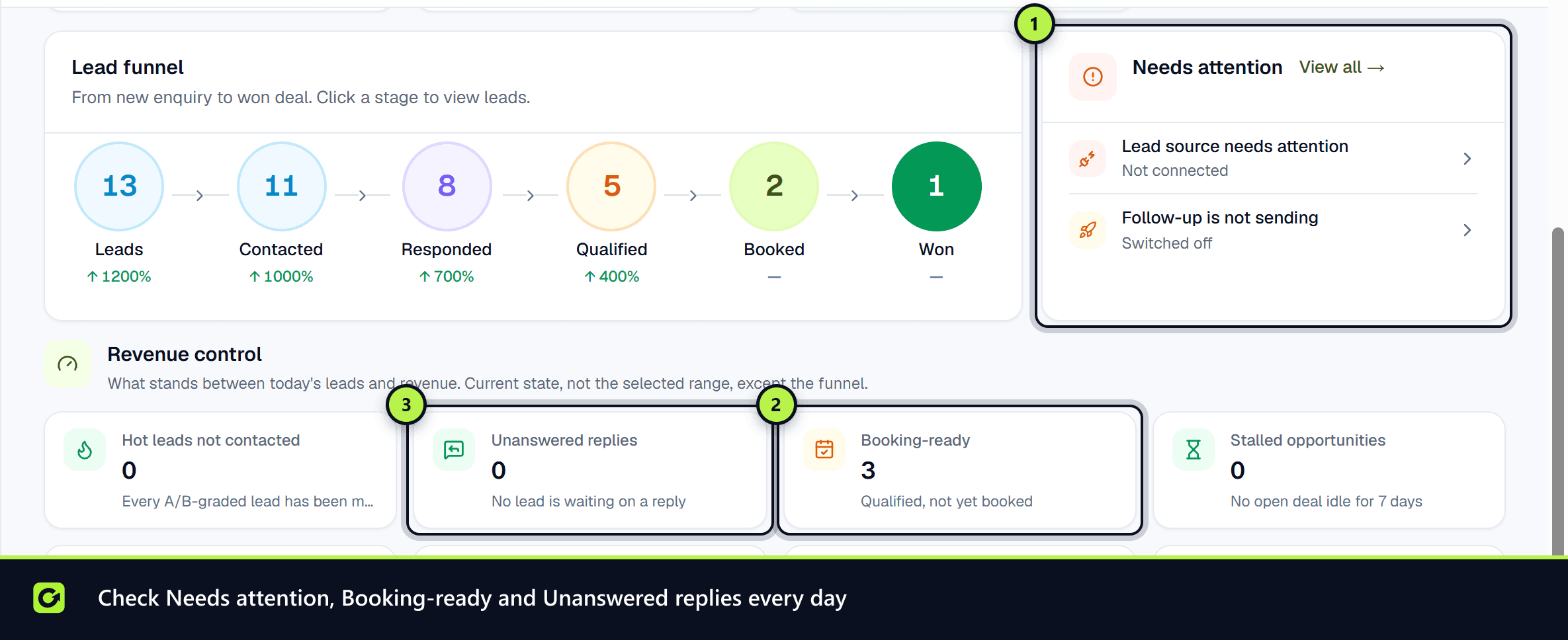
- Check the Dashboard and Inbox for leads that need attention and conversations handed to a person. On the Dashboard, the Booking-ready card counts leads that are qualified but not yet booked; choose it to open that list under Leads.
- Work through anything left under Finish setting up at the top of the Dashboard.
- Ask Copilot "Which leads need attention?"
End of the week
- Look at which sources produced qualified leads and bookings on the Dashboard and in Analytics.
- If the assistant's drafts needed little editing, consider moving it to Reply automatically.
- If a sourcing search worked well, turn it into a sourcing agent.
Screenshots
Still stuck?
Customers can raise a ticket from the help button inside the app. Not a customer yet? Talk to us.