
Integrations
Connecting Pipedrive
Send contacts from Pipedrive into ClientTurn for review using Pipedrive Automations and a signed inbound endpoint
1 min readUpdated 26 September 2026
Pipedrive connects in one direction: Pipedrive sends contacts to ClientTurn. ClientTurn never signs in to Pipedrive and cannot read or change anything there. Contacts arrive in Find Leads as prospects for review.
1. Create the endpoint
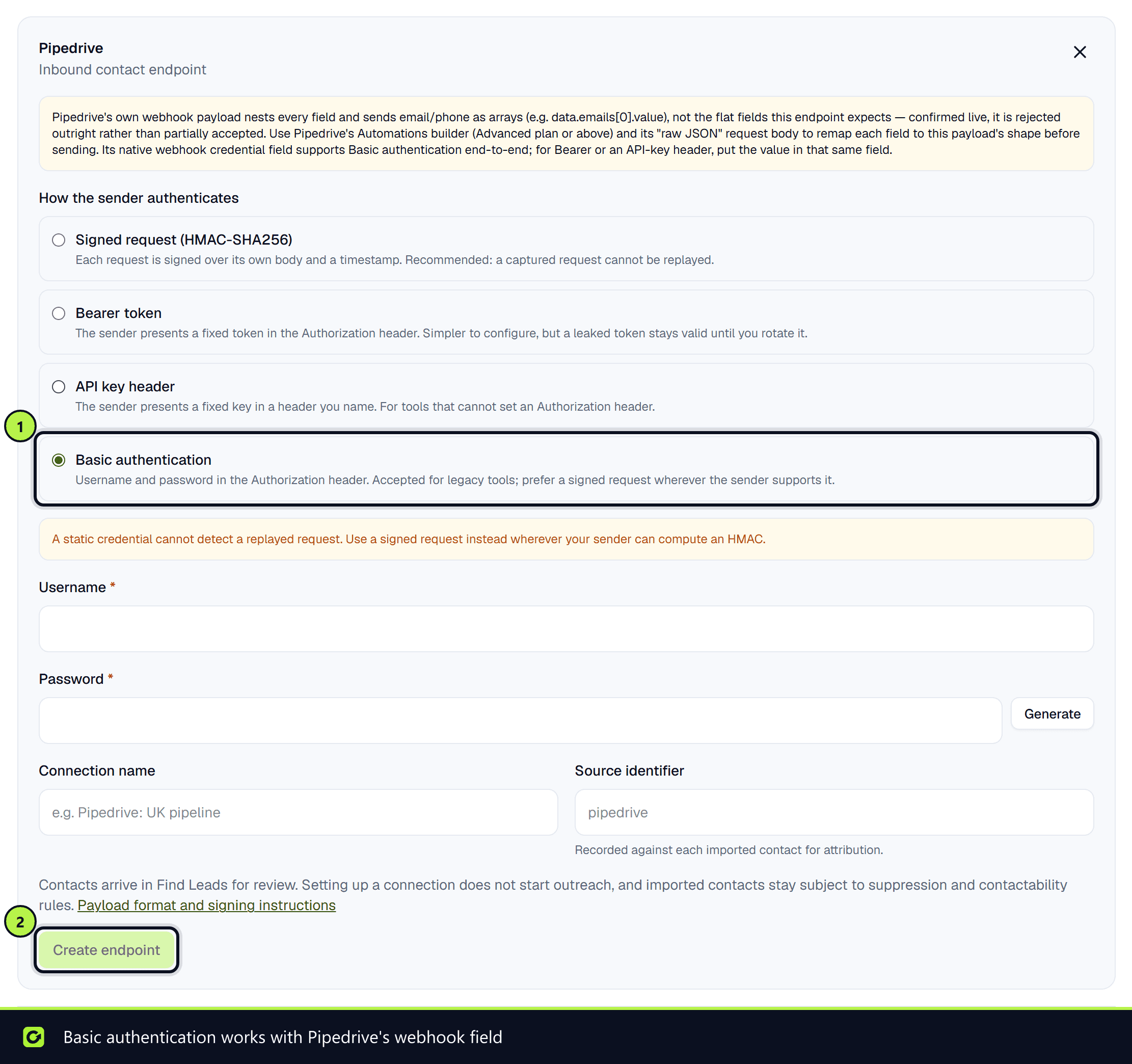
- Step 1: Open Settings → Connections, scroll to Inbound contact connections and choose Set up on Pipedrive.
- Step 2: Choose how Pipedrive will authenticate. Basic authentication is the method Pipedrive's webhook credential field supports end to end. For Bearer token or API key header, put the value in that same field.
- Step 3: Optionally name the connection, for example "Pipedrive — UK pipeline", and choose Create endpoint.
- Step 4: Copy Your endpoint URL.
2. Build the automation in Pipedrive
Pipedrive's standard webhook nests every field and sends email and phone as lists, which the endpoint rejects outright. Use Pipedrive's Automations builder instead (Advanced plan or above), with a webhook action and a raw JSON body that maps each field to the flat shape ClientTurn expects:
{
  "eventId": "pipedrive-person-12345",
  "firstName": "Priya",
  "lastName": "Shah",
  "email": "priya@example.co.uk",
  "phone": "+447700900123",
  "company": "Example Studio Ltd"
}
- Use a value that is unique per event for
eventId, such as the person ID plus a timestamp. A repeatedeventIdis not imported twice. - Include an email or a phone number. Phone numbers must be in international format, starting with
+.
3. Check it arrived
Trigger the automation once. The Pipedrive card changes from Configured to Healthy when a request is accepted, or to Warning or Failed if requests are being rejected. The panel shows Last accepted and Last rejected times.
For the full payload and signing reference, see Leads from Zapier and webhooks.
Related
Screenshots
Still stuck?
Customers can raise a ticket from the help button inside the app. Not a customer yet? Talk to us.