
Integrations
Connecting other CRMs and automation tools (Make, n8n, custom)
Post contacts from Make, n8n, your own scripts or any tool that can send a webhook into ClientTurn for review
1 min readUpdated 26 September 2026
If your CRM or automation tool is not listed under Settings → Connections, it can still send contacts to ClientTurn through a Custom webhook endpoint. The same endpoint works for Make, n8n, a script of your own, or any system that can make an HTTPS request.
Set up the endpoint
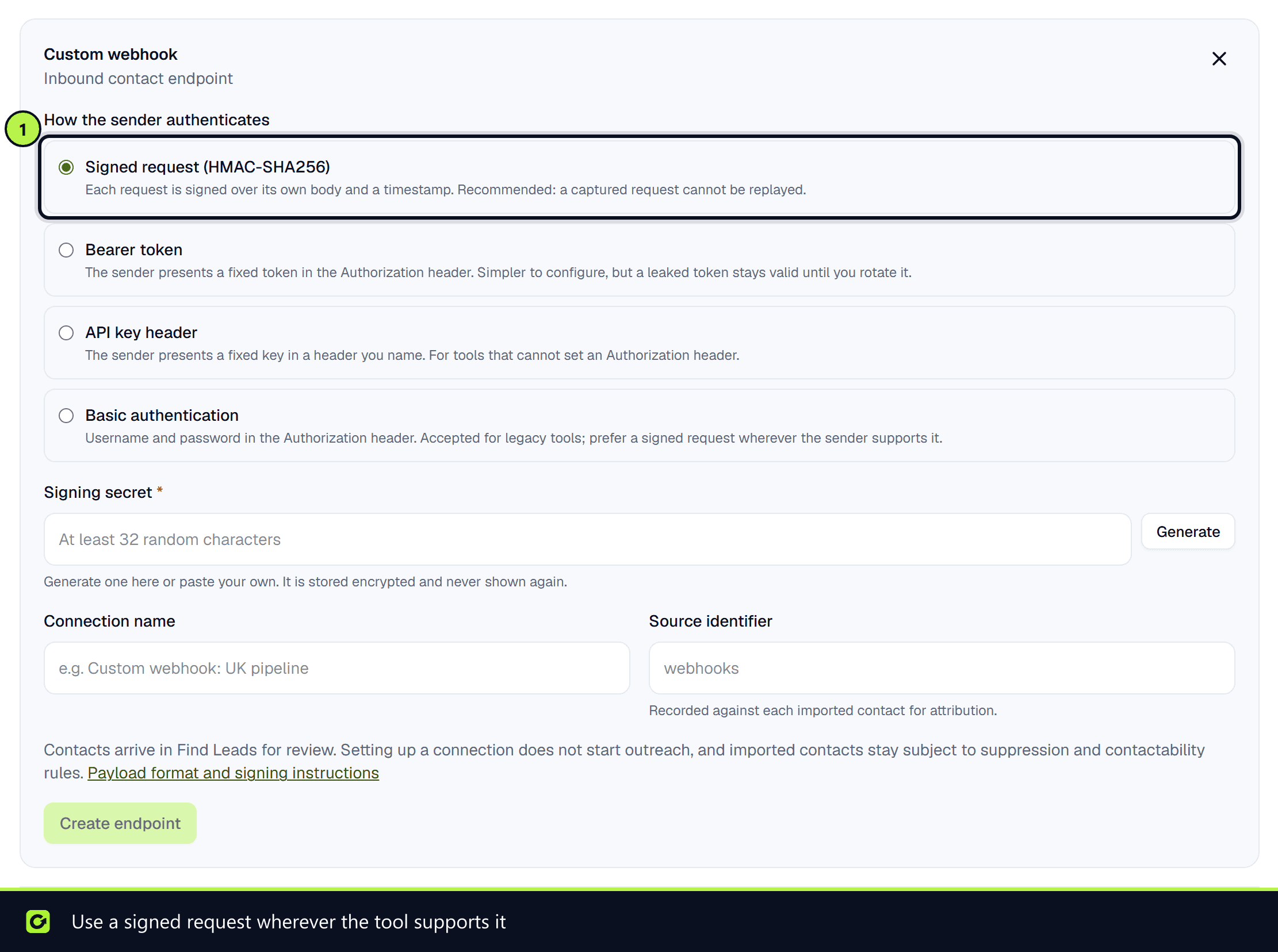
- Step 1: Open Settings → Connections, scroll to Inbound contact connections and choose Set up on Custom webhook.
- Step 2: Choose how the sender authenticates. Use Signed request (HMAC-SHA256) if the tool can compute a signature; otherwise use Bearer token, API key header or Basic authentication.
- Step 3: Choose Create endpoint and copy Your endpoint URL into the tool.
Contacts land in Find Leads for review, the same as any other found contact. They are not added to your active leads automatically, and setting up a connection does not start outreach.
For the payload, headers and signing details, see Leads from Zapier and webhooks. For Pipedrive specifically, see Connecting Pipedrive.
Sending genuine enquiries instead
If what you are sending is a real enquiry, for example a website form, send it to the public API instead so it becomes a lead rather than a prospect. See Leads from the API.
Screenshots
Still stuck?
Customers can raise a ticket from the help button inside the app. Not a customer yet? Talk to us.